Class Bagatelle
- All Implemented Interfaces:
PANetworkClientINF,processing.core.PConstants
The presets and performance cues in this version of the Bagatelle sketch are set up for
"Abstract Jailbreak". If you change pMode to PerformanceMode.DEADBODYWORKFLOW,
this sketch will run the presets and cues for "DEADBODYWORKFLOW". You can toggle pMode
at runtime with the '%' key--this is new feature, YMMV.
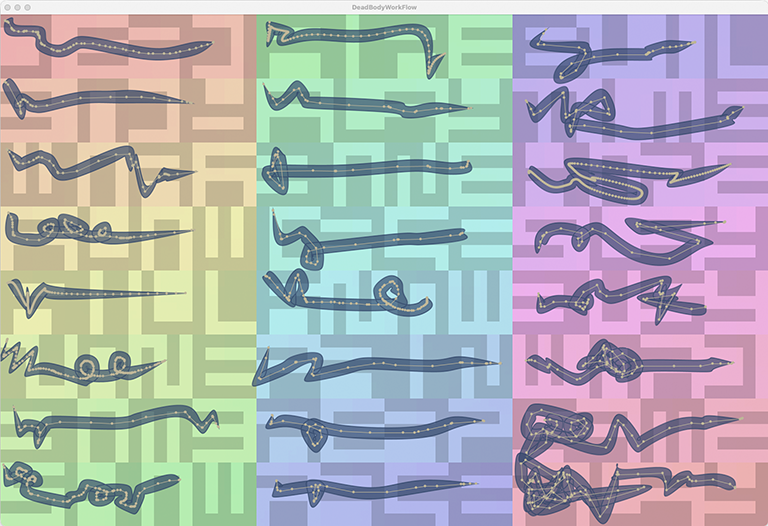
Bagatelle is an experiment. I have tried to document it reasonably well, but some features are bound to appear opaque or mysterious. I think most of the features will reveal themselves with experimentation. You may even find that you can write your own presets and use them for your performances. That would be an ideal outcome, to my mind.
QUICK START
- Launch the sketch. A display window and a palette of Graphical User Interface (GUI) controls appears.
The display window has an audio file preloaded. The grayscale values in the image are transcoded audio
samples. An overlaid rainbow spectrum traces the Signal Path, the mapping of the audio signal to the image
pixels created by the PixelMapGen
multigenand managed by the PixelAudioMappermapper. The Signal Path starts in the upper left corner and ends in the lower right corner.
Bagatelle is set up for a performance of "Abstract Jailbreak," a musical work by Christopher Walczak. Abstract Jailbreak makes use of the Performance Presets built in to the application. The presets can be triggered with the number keys. At this point you could press '1' to load the first preset. For more information, see the "PRESET LIST" in the variables section of the Bagatelle tab, and the various methods in the Performance tab. There are five presets for Abstract Jailbreak. They control audio synthesis parameters and brush drawing style. More than one can be loaded at one time. To clear presets from the preset stack, press '0'. - Drawing is already turned on, so go ahead and drag the mouse to draw a line. As in TutorialOne_03_Drawing,
a brushstroke appears when you release the mouse. TutorialOne_03_Drawing gave you limited control over
the attributes of a brushstroke and its associated audio parameters. In GesturePlayground, you can
control nearly all the available parameters with the control palette. Building on GesturePlayground,
Bagatelle provides a framework for live performance.
- You can probably use Bagatelle "right out of the box" by just supplying your own audio and image files
and open your files with the 'o' key command. If you want to use your own files with Bagatelle's
PerformancePreset feature, I suggest you look closely at the existing presets (for Abstract Jailbreak)
and at the
runPerformanceCue(...)method in the Performance Methods section of this app. There are three things you need to modify to use your own performance presets:
- Create your own PerformancePreset list by editing the existing one.
- Set the variable
performanceBasePathto point to the directory where you store your performance files - Edit the entries in
runPerformanceCue(...)to access your own files
- At the top of the control palette, you'll find Path Source radio buttons and sliders for setting
the geometry of the brush curve. When the curve is set to Reduced Points or Curve Points, the epsilon
slider will allow you to visualize changes in the curve. For the curve points representation of the
curve, theCurve Points slider will add or subtract points.
- The control palette displays knobs for the type of audio synthesis instrument you have selected.
Press the 't' key to change the instrument. The control palette will reflect the changes. The
control palette provides three play modes: one for editing granular synthesis parameters, another
for the sampler synthesizer, and a "play only" mode where you can play both instruments but
don't have editing enabled.
- The controls for the Sampler are fairly simple. You can change the number of points in the curve
with the geometry controls. You can also change the duration of the gesture and the number of
points in it with the Resample and Duration sliders. Finally, there's a Sampler Envelope menu
that will change the ADSR envelope of each sampler event point.
- The Granular Synth has all the controls of the Sampler synth except for the envelopes, plus
many controls for granular synthesis:
- The Hop Mode radio buttons determine if the duration of the granular event is determined by the gesture timing data in the brushstroke's PACurveMaker instance, or by the Grain Length and Hop Length sliders.
- Burst Count sets the number of linear grains at each event point. Its effect is to expand the sound of the grain.
- Grain Length and Hop Length sliders control the spacing of the grains. Hop Length is only used for Fixed Hop Mode. Grain and Hop durations are in milliseconds.
- The Warp radio buttons and slider control non-linear timing changes to the gesture.
- There are many key commands too, including the 'o' command to load a new audio files. Some
commands are particularly useful with granular synthesis:
- The 'q' command key will calculate the optimal number of grains in a gesture (usually in GESTURE Path Mode) and update the control palette. This can provide smooth granular synthesis even as it preserves the timing characteristic of the gesture.
- The 'u' command will apply grain optimization to every new granular brush.
- the 'd' command will toggle playing a new brush immediately upon mouse release.
- The 'D' command will toggle playing audio while you draw.
- The 'c' command key will print configuration data to the console.
- The 'x' command key deletes the brush you are hovering over, if it is editable.
- The 'z' command key swaps the instrument type of the brush you are hovering over and changes edit mode to match.
About Bagatelle
Bagatelle uses a GUI to view and manage the properties of theAudioBrush subclasses
GranularBrush and SamplerBrush, the GestureSchedule class,
and the Sampler and Granular audio synthesis instruments PASamplerInstrumentPool and
PAGranularInstrumentDirector.
An AudioBrush combines a PACurveMaker and a GestureGranularConfig.Builder.
PACurveMaker models gestures, one of the core concepts of PixelAudio. In its simplest encoded
form, the PAGesture interface, a gesture consists of an array of points and an array of
times. The times array and the points array must be the same size, because the times array records the
times when something as-yet-unspecified will happen at the corresponding point in the points array. In my
demos for PixelAudio, what happens at a point is typically an audio event and an animation event. The
sound happens at the point because points in PixelAudio map onto locations in the sound buffer. Mapping
of bitmap locations onto audio buffer indices is another core concept of PixelAudio. Gestures over the 2D
space of an image become paths through audio buffers.
The audio buffer is traversed either by a granular
synthesis engine or by a sampling synthesizer. For the granular synth, a gesture corresponds to a
non-linear traversal of an audio buffer, potentially as a continuous sequence of overlapping grains with
a single envelope. The sampling synthesizer treats each point as a discrete event with its own envelope.
Depending on how gestures and schedules are structured, the two synthesizers can sound very similar, but
there are possibilities in each that the other cannot realize. As you might expect, GranularBrush
implements granular synth events and SamplerBrush implements sampler synth events. Both rely on
PACUrveMaker which, in addition to capturing the raw gesture of drawing a line, provides methods to
reduce points / times and create Bezier paths. PACurveMaker data can also be modified by changing
duration, interpolating samples, or non-linear time warping. DeadBodyWorkFlow uses
GestureScheduleBuilder to interpolate and warp time and point lists.
The parameters for gesture modeling, granular and sampling synthesis, time and sample interpolation, and
audio events are modeled in the GUI, which uses GestureGranularConfig.Builder gConfig to
track its current state. A GestureGranularConfig instance is associated with each AudioBrush. When you
click on an AudioBrush and activate it, its configuration data is loaded to the GUI and you can edit it.
It will be saved to the brush when you select another brush or change the edit mode. When a brush is
activated with a click, the schedule is built from its PACurveMaker and GestureGranularConfig.Builder
instance variables:
GestureSchedule schedule = scheduleBuilder.build(gb.curve(), cfg.build(), audioOut.sampleRate());
The calling chain for a GranularBrush:
mouseClicked() calls scheduleGranularBrushClick(gb, x, y);.
In scheduleGranularBrushClick(...) we get a reference to the audio buffer buf
and then use the PACurveMaker object gb.curve() and gb.snapshot() to build a
GestureSchedule, sched.
sched gets timing and location information for the gesture from gb.curve() and
modifies it with the settings from the control palette which are stored gb.snapshot().
We port the granular synthesis parameters from the brush to a GestureGranularParams object, and then call
playGranularGesture(buf, sched, gParams) to play the granular synth. We also call
storeGranularCurveTL(...), which sets up UI animation events to track the grains.
Parameter buf is the audio signal that is the source of our grains, parameter sched provides
the points and times for grains and parameter params provides the core parameters for granular synthesis.
playGranularGesture() builds arrays for buffer position and pan for each individual grain and then calls
gDir.playGestureNow(buf, sched, params, startIndices, panPerGrain) to play the PAGranularInstrumentDirector
granular synth. The 'p' command key can toggle per-grain pitch jitter, which calls playGestureNow()in a slightly
different way. See playGranularGesture() for details.
PAGranularInstrumentDirector its own calling chain that goes all the way down to the individual sample level
using the Minim library's UGen interface. If you just want to play music, you'll probably never have to deal with the
hierarchy of classes directly, but comments PAGranularInstrumentDirector may be useful.
Part of the calling chain for a SamplerBrush:
mouseClicked() calls scheduleSamplerBrushClick(sb, x, y).
In scheduleSamplerBrushClick() we get array of points on the curve with getPathPoints(sb) and then
use sb.snapshot() and scheduleBuilder.build() to build a GestureSchedule
Finally, we pass the schedule, snapshot and start time to storeSamplerBrushEvents(), an array of
SamplerBrushEvent objects that is checked at every pass through the draw() loop and posts
both Sampler instrument triggers and animation events. Unlike the Granular instrument, which requires very accurate
timing, the Sampler synth requires less precision, so we can handle it through the UI frames. Sample-accurate
timing is a topic for another as-yet-unreleased example sketch.
The runSamplerBrushEvents() method executes the UI brushstroke animation and the Sampler audio events.
Sampler events all pass through pool.playSample(samplePos, samplelen, amplitude, env, pitch, pan).
 ----- Audio Gain -----
 Press UP ARROW to increase audio output volume by 1.0 or 3.0 dB (+shift).
 Press DOWN ARROW to decrease audio output volume by 1.0 or 3.0 dB (+shift).
 Press RIGHT ARROW to increase current instrument gain by 3.0 dB.
 Press LEFT ARROW to decrease current instrument gain by 3.0 dB.
 Press '`' to fade out all instruments.
 ----- Presets and Cues -----
 Keys 1 through 9 are reserved for triggering Performance Presets 1-9, '0' will clear all presets.
 ----- Drawing, Audio Settings, Playback -----
 Press TAB to set brush to active, if cursor is over a brush.
 Press ' ' to (spacebar) trigger a brush if we're hovering over a brush, otherwise trigger a point event.
 Press 'm' to toggle doMagicClick, play brushstroke in same rectangle as mouse on click or spacebar.
 Press 'a' to toggle animation.
 Press 't' to switch between Granular, Sampler, and Play Only modes.
 Press 'z' to change the drawing mode of the hover brush.
 Press 'q' to automatically set an active GRANULAR brush to have an optimized number of samples.
 Press 'u' to toggle granular sample optimization: same as the 'q' command, applied on brushstroke creation.
 Press 'd' to toggle doPlayOnNewBrush: if true, audio plays when a new brush is created.
 Press 'D' to toggle doPlayOnDraw: if true, drawing triggers audio while you drag the mouse.
 Press 'p' to jitter the pitch of granular gestures.
 Press 'k' to apply the hue and saturation in the colors array to mapImage (not to baseImage).
 Press 'K' to apply hue and saturation in colors to baseImage and mapImage.
 Press 'r' to reset instrument configuration to defaults in GUI.
 Press 'c' or 'C' to print the current configuration status to the console.
 ----- File IO and Mapping -----
 Press 'f' or 'F' to open a folder with JSON brush data and load all files.
 Press 'j' to save the active brush curve and config to JSON files.
 Press 'J' to save all brushes curve and config to JSON Session file.
 Press 'o' to open an audio file, image file, or JSON file.
 Press 'b' or 'B' to toggle loading data to both image and audio buffers when you open a file.
 Press 'w' to write the display image to the audio buffer.
 Press 'W' to write the audio buffer to the display image.
 ----- Audio Mix Dynamics -----
 Press 'n' to set noise reduction policy for Sampler instrument audio mix.
 Press 'E' to toggle whether we adjust envelope duration in relation to gesture duration.
 Press 'g' to toggle use of dynamics in gainCurve with gesture .
 ----- Special FX -----
 Press 'l' to loop the hovered brush 4 times.
 Press 'L' to run an infinite loop on the hovered brush.
 Press ';' to stop loop for the hovered brush.
 Press ':' to stop all loops.
 Press 'y' to toggle transform animation test.
 Press 'Y' to freeze / unfreeze brush geometric transform animation.
 Press 'R' to reset transform of active brush if it has a transform.
 Press 'G' to create a beatBrush.
 Press '.' to turn random raindrops audio events on or off.
 Press '`' to fade out all instruments.
 Press '%' to switch performance presets and cue handlers.
 Press '&' to clear events in granular and sample synths.
 ----- Brush Deletion -----
 Press 'x' to delete the current active brush shape or the oldest brush shape.
 Press 'X' to delete the most recent brush shape.
 Press '≈' to option-x on MacOS keyboard, clear all brushes.
 ----- Network -----
 Press ']' to send UDP message to Max (simpleAudioIO.maxpat): reverb ON.
 Press '[' to send UDP message to Max (simpleAudioIO.maxpat): reverb OFF.
 Press '}' to send UDP message to Max (simpleAudioIO.maxpat): unused.
 Press '{' to send UDP message to Max (simpleAudioIO.maxpat): unused.
 Press 'v' to send UDP message to Max (simpleAudioIO.maxpat): small reverb settings.
 Press 'V' to send UDP message to Max (simpleAudioIO.maxpat): big reverb settings.
 ----- Help -----
 Press 'h' or 'H' to show help message.
MacOS AUDIO TO MAX SETUP
In MacOS:Ignore Sound.inputDevice() and Sound.outputDevice(), use the System Settings instead.
Set Output to BlackHole 16ch
Set Input to your external audio hardware, for an external mic: mine is Volt2
Then in Max Audio Status control panel:
Set Input Device to BlackHole 16ch
Set Output Device to your external audio hardware, e.g. Volt2
Create a patcher that gets signals from an adc~, route the adc~ to some sort of effects and out to a dac~.
-
Nested Class Summary
Nested ClassesModifier and TypeClassDescription(package private) static enumPresets are applied to each new brush at the moment drawing is completed by releasing the mouse button and calling makeBrush(), the bottleneck method for all brush creation.(package private) static classSimple container for a brush hit-test result.(package private) static classGesture and audio configuration data returned by a PerformancePreset.(package private) static enumPresets are applied to each new brush at the moment drawing is completed by releasing the mouse button and calling makeBrush(), the bottleneck method for all brush creation.(package private) static enumModes available for drawing and editing curves and configuration.(package private) static interfaceBarebones interface for "something that happens at a certain point", for use with AudioScheduler.(package private) static classSupports looping of brush animation and associated audio events.classA class to handle network connections over UDP, for example, with a Max or Pd patch.(package private) static enumavailable performance states, used to determine performance preset and cues -
Field Summary
FieldsModifier and TypeFieldDescriptionprivate AudioBrush(package private) int(package private) GranularBrush(package private) int(package private) final ArrayList<Bagatelle.InstrumentLoop>(package private) SamplerBrush(package private) int(package private) int(package private) ArrayList<Bagatelle.AJ_PerformancePreset>(package private) g4p_controls.GOptionArrayList<processing.core.PVector>(package private) int(package private) int(package private) boolean(package private) g4p_controls.GOption(package private) File(package private) int(package private) String(package private) String(package private) String(package private) int(package private) ddf.minim.AudioOutput(package private) AudioScheduler<Bagatelle.Happening>(package private) float[](package private) processing.core.PImage(package private) int(package private) int(package private) PABoundsPolicy.PABoundaryMode(package private) PABoundsPolicy(package private) float(package private) int(package private) g4p_controls.GLabel(package private) g4p_controls.GSlider(package private) PixelAudioMapper.ChannelNames(package private) int(package private) int[](package private) g4p_controls.GTextArea(package private) g4p_controls.GPanel(package private) g4p_controls.GWindow(package private) Stringprocessing.core.PVector(package private) static final int(package private) static final int(package private) static final int(package private) g4p_controls.GOption(package private) g4p_controls.GLabel(package private) g4p_controls.GSliderint(package private) g4p_controls.GOption(package private) String(package private) String(package private) ArrayList<Bagatelle.DBWF_PerformancePreset>(package private) final GestureGranularConfig.Builder(package private) final GestureGranularConfig.Builder(package private) int(package private) int(package private) int(package private) boolean(package private) boolean(package private) boolean(package private) booleanintfloat(package private) Bagatelle.DrawingMode(package private) int(package private) int(package private) int(package private) int(package private) float(package private) g4p_controls.GTextField(package private) g4p_controls.GLabel(package private) g4p_controls.GSlider(package private) PAControlCurve(package private) static final String(package private) int(package private) g4p_controls.GLabel(package private) g4p_controls.GDropList(package private) g4p_controls.GLabel(package private) int(package private) int(package private) String[]float(package private) g4p_controls.GLabel(package private) int(package private) g4p_controls.GOption(package private) float(package private) g4p_controls.GOption(package private) g4p_controls.GLabel(package private) g4p_controls.GSlider(package private) GestureGranularConfig.Builder(package private) int(package private) int(package private) g4p_controls.GOptionint(package private) GestureGranularParams(package private) GestureGranularParams(package private) g4p_controls.GTextField(package private) g4p_controls.GLabel(package private) g4p_controls.GSlider(package private) ArrayList<TimedLocation>(package private) final Objectintint(package private) intfloat[](package private) ArrayList<GranularBrush>(package private) ADSRParamsfloatfloat(package private) boolean(package private) g4p_controls.GTextField(package private) g4p_controls.GLabel(package private) g4p_controls.GSlider(package private) g4p_controls.GToggleGroup(package private) g4p_controls.GLabel(package private) int(package private) floatprivate AudioBrushAudioBrush wraps a PACurveMaker (gesture) and a GestureGranularConfig.Builder (granular synthesis parameters)(package private) intprivate int(package private) int(package private) File(package private) int(package private) String(package private) String(package private) String(package private) int(package private) boolean(package private) boolean(package private) boolean(package private) boolean(package private) boolean(package private) boolean(package private) boolean(package private) boolean(package private) booleanboolean(package private) boolean(package private) boolean(package private) boolean(package private) boolean(package private) boolean(package private) boolean(package private) boolean(package private) boolean(package private) boolean(package private) boolean(package private) boolean(package private) boolean(package private) boolean(package private) boolean(package private) boolean(package private) boolean(package private) boolean(package private) int(package private) processing.core.PVector(package private) int(package private) g4p_controls.GOption(package private) int(package private) int(package private) processing.core.PImage(package private) PixelAudioMapper(package private) int(package private) int(package private) ddf.minim.MinimMinim audio library(package private) MultiGen(package private) Bagatelle.NetworkDelegate(package private) final int(package private) boolean(package private) int(package private) float(package private) float(package private) g4p_controls.GToggleGroup(package private) g4p_controls.GLabel(package private) static String(package private) float(package private) g4p_controls.GLabel(package private) g4p_controls.GTextField(package private) PixelAudio(package private) ddf.minim.MultiChannelBuffer(package private) Bagatelle.PerformanceModecurrent performance mode(package private) boolean(package private) ArrayList<TimedLocation>(package private) final Objectint(package private) PASamplerInstrumentPool(package private) int(package private) int(package private) g4p_controls.GSlider(package private) g4p_controls.GOption(package private) int(package private) int(package private) g4p_controls.GTextField(package private) g4p_controls.GLabel(package private) g4p_controls.GSlider(package private) boolean(package private) int(package private) int(package private) float(package private) ArrayList<SamplerBrush>(package private) ArrayList<SamplerBrushEvent>(package private) final Object(package private) ADSRParams(package private) float(package private) float(package private) GestureScheduleBuilder(package private) int(package private) boolean(package private) int(package private) int(package private) g4p_controls.GOptionint(package private) int(package private) int(package private) boolean(package private) boolean(package private) boolean(package private) int(package private) int(package private) com.hamoid.VideoExport(package private) g4p_controls.GToggleGroup(package private) g4p_controls.GLabel(package private) g4p_controls.GSliderFields inherited from class processing.core.PApplet
args, ARGS_BGCOLOR, ARGS_DISABLE_AWT, ARGS_DISPLAY, ARGS_EDITOR_LOCATION, ARGS_EXTERNAL, ARGS_FULL_SCREEN, ARGS_HIDE_STOP, ARGS_LOCATION, ARGS_PRESENT, ARGS_SKETCH_FOLDER, ARGS_STOP_COLOR, ARGS_UI_SCALE, ARGS_WINDOW_COLOR, DEFAULT_HEIGHT, DEFAULT_WIDTH, disableAWT, displayHeight, displayWidth, dmouseX, dmouseY, emouseX, emouseY, exitCalled, EXTERNAL_MOVE, EXTERNAL_STOP, finished, firstMouse, focused, frameCount, frameRate, frameRateLastNanos, g, height, insideDraw, javaPlatform, javaVersion, javaVersionName, key, keyCode, keyEvent, keyPressed, keyRepeatEnabled, looping, matchPatterns, mouseButton, mouseEvent, mousePressed, mouseX, mouseY, pixelDensity, pixelHeight, pixels, pixelWidth, platform, pmouseX, pmouseY, ratioLeft, ratioScale, ratioTop, recorder, redraw, rheight, rmouseX, rmouseY, rwidth, surface, useNativeSelect, width, windowX, windowYFields inherited from interface processing.core.PConstants
ADD, ALPHA, ALT, AMBIENT, ARC, ARGB, ARROW, BACKSPACE, BASELINE, BEVEL, BEZIER_VERTEX, BLEND, BLUR, BOTTOM, BOX, BREAK, BURN, CENTER, CHATTER, CHORD, CLAMP, CLOSE, CODED, COMPLAINT, CONTROL, CORNER, CORNERS, CROSS, CURVE_VERTEX, CUSTOM, DARKEST, DEG_TO_RAD, DELETE, DIAMETER, DIFFERENCE, DILATE, DIRECTIONAL, DISABLE_ASYNC_SAVEFRAME, DISABLE_BUFFER_READING, DISABLE_DEPTH_MASK, DISABLE_DEPTH_SORT, DISABLE_DEPTH_TEST, DISABLE_KEY_REPEAT, DISABLE_NATIVE_FONTS, DISABLE_OPENGL_ERRORS, DISABLE_OPTIMIZED_STROKE, DISABLE_STROKE_PERSPECTIVE, DISABLE_STROKE_PURE, DISABLE_TEXTURE_MIPMAPS, DODGE, DOWN, DXF, ELLIPSE, ENABLE_ASYNC_SAVEFRAME, ENABLE_BUFFER_READING, ENABLE_DEPTH_MASK, ENABLE_DEPTH_SORT, ENABLE_DEPTH_TEST, ENABLE_KEY_REPEAT, ENABLE_NATIVE_FONTS, ENABLE_OPENGL_ERRORS, ENABLE_OPTIMIZED_STROKE, ENABLE_STROKE_PERSPECTIVE, ENABLE_STROKE_PURE, ENABLE_TEXTURE_MIPMAPS, ENTER, EPSILON, ERODE, ESC, EXCLUSION, FX2D, GIF, GRAY, GROUP, HALF_PI, HAND, HARD_LIGHT, HINT_COUNT, HSB, IMAGE, INVERT, JAVA2D, JPEG, LANDSCAPE, LEFT, LIGHTEST, LINE, LINE_LOOP, LINE_STRIP, LINES, LINUX, MACOS, MACOSX, MAX_FLOAT, MAX_INT, MIN_FLOAT, MIN_INT, MITER, MODEL, MODELVIEW, MOVE, MULTIPLY, NORMAL, OPAQUE, OPEN, OPENGL, ORTHOGRAPHIC, OTHER, OVERLAY, P2D, P3D, PATH, PDF, PERSPECTIVE, PI, PIE, platformNames, POINT, POINTS, POLYGON, PORTRAIT, POSTERIZE, PROBLEM, PROJECT, PROJECTION, QUAD, QUAD_BEZIER_VERTEX, QUAD_STRIP, QUADRATIC_VERTEX, QUADS, QUARTER_PI, RAD_TO_DEG, RADIUS, RECT, REPEAT, REPLACE, RETURN, RGB, RIGHT, ROUND, SCREEN, SHAPE, SHIFT, SOFT_LIGHT, SPAN, SPHERE, SPOT, SQUARE, SUBTRACT, SVG, TAB, TARGA, TAU, TEXT, THIRD_PI, THRESHOLD, TIFF, TOP, TRIANGLE, TRIANGLE_FAN, TRIANGLE_STRIP, TRIANGLES, TWO_PI, UP, VERTEX, WAIT, WHITESPACE, WINDOWS, X, Y, Z -
Constructor Summary
Constructors -
Method Summary
Modifier and TypeMethodDescriptionvoidAdd the controls to the control palette.voidaddDrawingPoint(int x, int y) While user is dragging the mouse and mode == Mode.DRAW_EDIT_GRANULAR or DRAW_EDIT_SAMPLER, accumulates new points to allPoints and event times to allTimes.voidadjustAudioGain(float g) Adjusts audioOut.gain.voidadjustGranGain(float g) Adjusts Granular instrument gain in dB.voidadjustInstrumentGain(float g) Adjusts current instrument gain in dB.voidadjustSamplerGain(float g) Adjusts Sampler instrumentpoolgain in dB.voidallOption_clicked(g4p_controls.GOption source, g4p_controls.GEvent event) voidanimate()(package private) intAppend a granular brush and return its new index.(package private) intAppend a sampler brush and return its new index.applyAJPresets(GestureGranularConfig.Builder cfg, PACurveMaker curve) Apply a performance preset from aj_presetStack, for "Abstract Jailbreak" performance.int[]applyColor(int[] colorSource, int[] graySource, int[] lut) Utility method for applying hue and saturation values from a source array of RGB values to the brightness values in a target array of RGB values, using a lookup table to redirect indexing.voidApplies the Hue and Saturation of pixel values in the colors[] array to mapImage and baseImage.voidapplyColorMapToDisplay(boolean updateBaseImage) Apply color map hue and saturation to mapImage or baseImage.int[]applyColorShifted(int[] colorSource, int[] graySource, int[] lut, int shift) Utility method for applying hue and saturation values from a source array of RGB values to the brightness values in a target array of RGB values, using a lookup table to redirect indexing, taking into account any pixels that were shifted.Apply a performance preset from dbwf_presetStack, for "DEADBODYWORKFLOW" performance.Apply performance presets from the stack associated with the current performance mode.voidarcLengthTimeOption_clicked(g4p_controls.GOption source, g4p_controls.GEvent event) buildGranSynth(ddf.minim.AudioOutput out, ADSRParams env, int numVoices) Initializes a PAGranularInstrument.voidburstSlider_changed(g4p_controls.GSlider source, g4p_controls.GEvent event) intcalcGranularOptHints(String tag, int N, float Tms, int hopSamples, int grainLenSamples, float sr, List<processing.core.PVector> scheduledPoints, float targetSpacingPx, float wt, float ws, StringBuffer sb) Calculate optimal configuration settings for a granular brush.intConvenience method for calcSampleLen(envDuration, 1.0f, 0.0625f).intcalcSampleLen(int dur, float mean, float variance) calculateEnvelopeDb(float gainDb, int totalSamples, float sampleRate) Calculate an envelope of length totalSamples.calculateEnvelopeLinear(float linear, float totalMs) Calculate an envelope of length totalSamples.voidWrapper method for Processing's selectInput command(package private) void(package private) static intclampInt(int v, int lo, int hi) (package private) void(package private) voidintclipToHeight(int y) intclipToWidth(int x) voidWrites mapImage to the audio chain and makes the displayed image the new base image.voidWrites the mapImage, which may change with animation, to the baseImage, a reference image that usually only changes when a new file is loaded.voidcommitNewBaseImage(processing.core.PImage img) Copies the supplied PImage to mapImage and baseImage, sets totalShift to 0 (the images are identical).(package private) intcomputeEnvDurationMs(GestureSchedule sched, String envName, int fallbackMs) static booleancontainsPoint(float x, float y, float[] r) voidcontrolMsg(String control, float val) voidcontrolPanel_hit(g4p_controls.GPanel source, g4p_controls.GEvent event) voidvoidCreate the GUI control palette.voidCreate all the controls in the control palette.voidCreate a separate window for the GUI control palette.voidCreate all the GUI controls.voidcurveOption_clicked(g4p_controls.GOption source, g4p_controls.GEvent event) voidcurvePointsSlider_changed(g4p_controls.GSlider source, g4p_controls.GEvent event) voidcustomWarpOption_clicked(g4p_controls.GOption source, g4p_controls.GEvent event) (package private) voiddebugSched(GestureSchedule sched) voiddraw()voiddrawBrushes(List<? extends AudioBrush> brushes, int readyColor, int hoverColor, int selectedColor) Iterates over a brush list and draws the brushstrokes stored in each PACurveMaker in the list.voidDraws brushes in available brush lists, callsdrawBrushes(List<? extends AudioBrush>, int, int, int), passing each list and colors for flagging its UI status.voiddrawCircle(int x, int y) Draws a circle at the location of an audio trigger (mouseDown event).voiddurationSlider_changed(g4p_controls.GSlider source, g4p_controls.GEvent event) (package private) voidPrepares Granular instruments and assets(package private) voidPrepares Sampler instruments and assetsvoidenvelopeMenu_clicked(g4p_controls.GDropList source, g4p_controls.GEvent event) (package private) static booleanenvEquals(ADSRParams a, ADSRParams b) (package private) intenvMenuIndex(String name) (package private) StringenvNameFor(ADSRParams env) (package private) static ADSRParamsintestimateLoopDurationMs(GestureSchedule sched, GestureGranularParams params) Estimate loop duration for a Granular instrument.intestimateLoopDurationMs(GestureSchedule sched, ADSRParams env, int noteLenSamples) Estimate loop duration for a Sampler instrument.voidexpWarpOption_clicked(g4p_controls.GOption source, g4p_controls.GEvent event) voidvoidfileSelected(File selectedFile) callback method for chooseFile(), handles standard audio and image formats for Processing.(package private) int(package private) Bagatelle.BrushHitvoidfixedOption_clicked(g4p_controls.GOption source, g4p_controls.GEvent event) (package private) static Stringfmt(float v, int decimals) (package private) StringformatEnv(ADSRParams env) voidgainSlider_changed(g4p_controls.GSlider source, g4p_controls.GEvent event) generateGranularBeatBrush(int count, int intervalMs) Generates aGranularBrushin code.(package private) float[]generateJitterPitch(int length, float basePitch, float deviationPitch) generateSamplerBeatBrush(int count, int intervalMs) Generates aSamplerBrushin code.voidgestureLibraryFolderSelected(File folder) voidgestureOption_clicked(g4p_controls.GOption source, g4p_controls.GEvent event) (package private) Bagatelle.BrushHitgetBrushInRect(int x, int y, int wStep, int hStep) Tests whether a supplied coordinate pair is within a rectangular tile that contains a brush, if so, returns the brush in a BrushHit object.int[]getColors(int size) Generates an array of rainbow colors using the HSB color space.processing.core.PVectorgetCoordFromSignalPos(int pos) Calculates the display image coordinates corresponding to a specified audio sample index.processing.core.PApplet(package private) ArrayList<processing.core.PVector>Provides the list of points for a brush in its assigned PathMode representation.(package private) GestureScheduleProvides a GestureSchedule associated with a brush, applying theboundsPolicyto bring all points in bounds.intgetSamplePos(int x, int y) Calculates the index of the image pixel within the signal path, taking the shifting of pixels and audioSignal into account.Provides the times associated with a brush in its assigned PathMode representation.voidgrainLengthField_changed(g4p_controls.GTextField source, g4p_controls.GEvent event) voidgrainLengthSlider_changed(g4p_controls.GSlider source, g4p_controls.GEvent event) inthandleClickOutsideBrush(int x, int y) Respond to mousePressed events, usually by triggering an eventvoidHandles user's drawing actions, draws previously recorded brushstrokes, tracks and generates animation and audio events.(package private) voidhandlePlayOnDraw(int x, int y) Dispatches lightweight "taste" audio while drawing.booleanhasLoopForBrush(AudioBrush brush) voidhopLengthField_changed(g4p_controls.GTextField source, g4p_controls.GEvent event) voidhopLengthSlider_changed(g4p_controls.GSlider source, g4p_controls.GEvent event) voidInitializes allPoints and adds the current mouse location to it.voidCALL THIS METHOD IN SETUP() Initializes Minim audio library and audio variables.(package private) voidInitializes a brush to apply a geometric transform.voidInitializes default settings for granular synthesis, defaultGranConfig, and for sampler synthesis, defaultSampConfig.Initializes a PACurveMaker instance with allPoints as an argument to the factory method PACurveMaker.buildCurveMaker() and then fills in PACurveMaker instance variables.(package private) voidInitializes performance presets and cues, including path to performance files, and loads initial audio image files.voidInitializes drawing and drawing interaction variables.voidInitializes gParamsFixed, a GestureGranularParams instances used for granular point events.voidinitGUI()Initializes the control palette.voidInitializesmapImagewith the colors array.(package private) voidSets up network for UDP communication.voidInitialize lists of TimedLocation objects, used for animated response to mouse clicks on brushstrokes and outside brushstrokes.(package private) boolean(package private) boolean(package private) boolean(package private) booleanisOverAnyBrush(int x, int y) processing.core.PVectorjitterCoord(int x, int y, int deviationPx) Displaces a supplied point by a random Gaussian variable.voidjsonFileSelectedRead(File jsonFile) voidjsonFileSelectedWrite(File jsonFile) Save the curve and config data from the current activeBrush.voidbuilt-in keyPressed handler, forwards events to parseKey.voidvoidlinearWarpOption_clicked(g4p_controls.GOption source, g4p_controls.GEvent event) voidloadAudioFile(File audFile) Attempts to load audio data from a selected file into playBuffer, then calls writeAudioToImage() to transcode audio data and write it to mapImage.(package private) voidloadGestureSchedule(PACurveMaker brush, GestureGranularConfig snap) Builds aGestureSchedulefor aPACurveMakerbrush and a snapshot of aGestureGranularConfigvoidloadImageFile(File imgFile) Attempts to load image data from a selected file into mapImage, then calls writeImageToAudio() to transcode HSB brightness channel to audio and writes it to playBuffer and audioSignal.(package private) MultiGenloadWordGen(int wordGenW, int wordGenH) Adds PixelMapGen objects to the local variable genList.loopGranularBrush(GranularBrush gb, int repeats, int gapMs) loopSamplerBrush(SamplerBrush sb, int repeats, int gapMs) static voidmakeBrush(PACurveMaker curve, GestureGranularConfig.Builder config) makeBrush(PACurveMaker curve, GestureGranularConfig.Builder config, GestureGranularConfigIO.InstrumentType instrumentType) End point for all makeBrush(...) calls, applies cues and special fx.voidvoidbooleanmouseInPoly(ArrayList<processing.core.PVector> poly) voidThe built-in mousePressed handler for Processing, used to begin drawing.void(package private) static booleannearlyEqual(float a, float b) (package private) voidNormalize config values when converting to GranularBrush.(package private) voidNormalize config values when converting to SamplerBrush.(package private) voidnumericKey(char key) voidopenBrushEditor(AudioBrush brush) Sets GUI to edit a brush.voidoptimize grainCount for the activeBrush, most useful for granular brushesvoidparseKey(char key, int keyCode) Handles key press events passed on by the built-in keyPressed method.(package private) StringvoidpitchShiftText_changed(g4p_controls.GTextField source, g4p_controls.GEvent event) voidplayGranularGesture(float[] buf, GestureSchedule sched, GestureGranularParams params) Primary method for playing a granular synthesis audio event.voidplayGranularGesture(float[] buf, GestureSchedule sched, GestureGranularParams params, GestureEventParams eventParams) Primary method for playing a granular synthesis audio event.voidplayPoints(ArrayList<processing.core.PVector> pts) intplaySample(int samplePos) intplaySample(int samplePos, int samplelen, float amplitude, float pan) Plays an audio sample with default envelope and stereo pan.intplaySample(int samplePos, int samplelen, float amplitude, ADSRParams env, float pan) Plays an audio sample with a custom envelope and stereo pan.intplaySample(int samplePos, int samplelen, float amplitude, ADSRParams env, float pitch, float pan) Plays an audio sample with with a custom envelope, pitch and stereo pan.booleanpointInPoly(ArrayList<processing.core.PVector> poly, int x, int y) voidAdds a TimedLocation to the pointTimeLocs list.voidpreloadFiles(String path, String fileName) Preload an audio file using a file path and a filename.prepareGranularGesture(float[] buf, GestureSchedule sched, GestureGranularParams params) prepareGranularGesture(float[] buf, GestureSchedule sched, GestureGranularParams params, PAControlCurve gainCurve) void(package private) voidprintGOptHints(float alpha) Print suggested values for optimizing grain overlap for a brush.static intquantizeToStep(int value, int step) Quantize an integer to the nearest multiple of step.voidTriggers a sample at a random location.voidrdpEpsilonSlider_changed(g4p_controls.GSlider source, g4p_controls.GEvent event) voidrdpOption_clicked(g4p_controls.GOption source, g4p_controls.GEvent event) (package private) voidCaching for UI settings, may be superfluous.voidWrites baseImage to mapImage with an index position offset of totalShift.voidRemoves the current active PACurveMaker instance, flagged by a highlighted brush stroke, from brushShapesList, if there is one.(package private) voidremoveGranularBrush(AudioBrush gb, int idx) Remove a granular brush using index when reliable, else by object.voidRemoves the current active PACurveMaker instance, flagged by a highlighted brush stroke, from brushShapesList, if there is one.voidRemoves the newest PACurveMaker instance, shown as a brush stroke in the display, from brushShapesList.voidRemoves the oldest brush in brushShapesList.(package private) voidremoveSamplerBrush(AudioBrush sb, int idx) Remove a sampler brush using index when reliable, else by object.voidrenderFrame(int step) Renders a frame of pixel-shifting animation: moving along the signal path, copies baseImage pixels to mapImage pixels, adjusting the index position of the copy using totalShift -- i.e.voidWrites a specified channel of mapImage to audioSignal.(package private) voidreplaceBrush(AudioBrush oldBrush, AudioBrush newBrush, int oldIndex) Remove oldBrush from its current typed list, insert newBrush into the opposite typed list, and preserve hover/active state.voidresampleSlider_changed(g4p_controls.GSlider source, g4p_controls.GEvent event) voidreset(boolean isClearCurves) Reinitializes audio and clears event lists.(package private) voidReset tool config to defaults (copy, so default config never mutates).(package private) void(package private) voidResets variables that may have been altered from expected base states by performance cues and presets.voidrunAJ_PerformancePreset(Bagatelle.AJ_PerformancePreset cue, char key) Handles cue and performance preset commands for "Abstract Jailbreak".voidrunDBWF_PerformancePreset(Bagatelle.DBWF_PerformancePreset cue, char key) Handles cue and performance preset commands for "DEADBODYWORKFLOW".voidTracks and runs TimedLocation events in the grainLocsArray list, which is associated with granular synthesis gestures.(package private) voidrunGranularDrawTaste(int x, int y) Lightweight Granular "taste" while drawing.(package private) voidrunGranularPointEvent(int x, int y) Plays a granular burst and animates a point(package private) voidrunPerformanceCue(char key) Runs cues for live performance of "Abstract Jailbreak" or "DEADBODYWORKFLOW".voidTracks and runs TimedLocation events in the timeLocsArray list, which is associated with mouse clicks that trigger audio a the click point.(package private) voidrunRaindropPointEvent(int x, int y) Plays a sample and animates a pointvoidRuns sampler brush events in the samplerTimeLocs list.(package private) voidrunSamplerDrawEvent(int x, int y) Plays a sample and animates a point(package private) voidrunSamplerDrawTaste(int x, int y) Lightweight Sampler "taste" while drawing.(package private) voidrunSamplerPointEvent(int x, int y) Plays a sample and animates a point(package private) voidsaveGestureJSON(boolean saveSession) voidsaveSessionJSON(File jsonFile) voidscheduleGranularBrushClick(GranularBrush gb, int clickX, int clickY) Convenience method when gain dynamics are not applied to a brush.voidscheduleGranularBrushClick(GranularBrush gb, int clickX, int clickY, PAControlCurve gainCurve) Schedules a response to a mouse click or hover + spacebar on a granular brush.(package private) voidscheduleSamplerBrushClick(SamplerBrush sb, int clickX, int clickY) Schedule a simple animation to mark the activation of Sampler audio events at display locations.(package private) voidscheduleSamplerBrushClick(SamplerBrush sb, int clickX, int clickY, PAControlCurve gainCurve) Schedule a simple animation to mark the activation of Sampler audio events at a display locations.(package private) voidsetActiveBrush(AudioBrush brush) Assigns a brush to be the current active brush, accessible for editing and other options.(package private) voidsetActiveBrush(AudioBrush brush, int idx) Assigns a brush to be the current active brush, accessible for editing and other options.static intsetAlpha(int argb, int alpha) Sets the alpha channel of an RGBA color.intsetAlphaWithBlack(int argb, int alpha) Sets the alpha channel of an RGBA color, conditionally setting alpha = 0 if all other channels = 0.voidsetAudioGain(float g) Sets audioOut.gain.(package private) voidDetermine which controls to enable, based on the drawing mode.(package private) voidsetMode(Bagatelle.DrawingMode newMode) Sets the drawing mode to one of {DRAW_EDIT_GRANULAR, DRAW_EDIT_SAMPLER, PLAY_ONLY}.(package private) voidsetPerformanceMode(Bagatelle.PerformanceMode newMode, boolean recolorAfterLoad) Changes the current performance mode during live performance.voidsettings()voidsetup()(package private) booleanshouldTriggerDrawTaste(int x, int y, int nowMs) Shared thinning logic for draw-time tasting.voidshowHelp()to generate help output, run RegEx search/replace on parseKey case lines with: // case ('.'): // (.+) // println(" * Press $1 to $2.");voidsquareRootOption_clicked(g4p_controls.GOption source, g4p_controls.GEvent event) startGranularLoop(GranularBrush gb, float[] buf, GestureSchedule sched, GestureGranularParams params, GestureEventParams eventParams, int repeats, int gapMs, boolean animate) startSamplerLoop(SamplerBrush sb, GestureSchedule sched, ADSRParams env, int noteLenSamples, int repeats, int gapMs, boolean animate) voidStep through the animation, called by the draw() method.voidstop()turn off audio processing when we exitvoidStops all loops.voidvoidstopLoopsForBrush(AudioBrush brush) Stop looping for a specified brushvoidstoreGranularCurveTL(GestureSchedule sched, int startTime, boolean isGesture) Stores granular gesture time/location events in grainTimeLocs.voidstoreSamplerBrushEvents(GestureSchedule sched, GestureGranularConfig snap, int startTime, PAControlCurve gainCurve) Adds audio/animation events tosamplerBrushEventsvoid(package private) voidsyncDrawingModeToBrush(AudioBrush brush) Change the current DrawingMode to suit the brush passed as an argument.(package private) void(package private) voidSynchronize the control palette knobs to the current gConfig, probably because a brush was selected and made active.(package private) AudioBrushToggle the currently active brush between SamplerBrush and GranularBrush.(package private) AudioBrushtoggleBrushType(AudioBrush brush) Convert a brush to the opposite type, reusing the same PACurveMaker and the same GestureGranularConfig.Builder instance.(package private) AudioBrushToggle the currently hovered brush between SamplerBrush and GranularBrush.(package private) GranularBrushtoGranularBrush(AudioBrush brush) Convert a brush explicitly to GranularBrush.(package private) SamplerBrushtoSamplerBrush(AudioBrush brush) Convert a brush explicitly to SamplerBrush.(package private) voidTest code to apply a geometric transform to the active brush, a form of animation when repeatedly applied over time.(package private) voidupdateAudioChain(float[] sig) (package private) voidupdateAudioChain(float[] sig, float bufferSampleRate) Bottleneck "commit" method for audio state.(package private) voidUpdate the hoverBrush and hoverIndex global variables.voidUpdates looping instruments.voidwarpSlider_changed(g4p_controls.GSlider source, g4p_controls.GEvent event) voidwinDraw(processing.core.PApplet appc, g4p_controls.GWinData data) voidwinKey(processing.core.PApplet appc, g4p_controls.GWinData data, processing.event.KeyEvent evt) voidwriteAudioToImage(float[] sig, PixelAudioMapper mapper, processing.core.PImage img, PixelAudioMapper.ChannelNames chan) Transcodes audio data in sig[] and writes it to color channel chan of mapImage using the lookup tables in mapper to redirect indexing.voidwriteImageToAudio(processing.core.PImage img, PixelAudioMapper mapper, float[] sig, PixelAudioMapper.ChannelNames chan, int shift) This method writes a color channel from an image to playBuffer, fulfilling a central concept of the PixelAudio library: image is sound.voidwriteToScreen(String msg, int x, int y, int weight, boolean isWhite) Displays a line of text to the screen, usually in the draw loop.Methods inherited from class processing.core.PApplet
abs, abs, acos, alpha, ambient, ambient, ambient, ambientLight, ambientLight, append, append, append, append, append, append, applyMatrix, applyMatrix, applyMatrix, applyMatrix, applyMatrix, arc, arc, arraycopy, arraycopy, arraycopy, arrayCopy, arrayCopy, arrayCopy, asin, atan, atan2, attrib, attrib, attrib, attribColor, attribNormal, attribPosition, background, background, background, background, background, background, background, beginCamera, beginContour, beginPGL, beginRaw, beginRaw, beginRecord, beginRecord, beginShape, beginShape, bezier, bezier, bezierDetail, bezierPoint, bezierTangent, bezierVertex, bezierVertex, binary, binary, binary, binary, blend, blend, blendColor, blendMode, blue, box, box, brightness, calcSketchPath, camera, camera, ceil, checkAlpha, checkExtension, choice, choice, circle, clear, clip, color, color, color, color, color, color, color, color, colorMode, colorMode, colorMode, colorMode, concat, concat, concat, concat, concat, concat, concat, constrain, constrain, copy, copy, copy, cos, createFont, createFont, createFont, createGraphics, createGraphics, createGraphics, createImage, createInput, createInput, createInputRaw, createOutput, createOutput, createPath, createPath, createPrimaryGraphics, createReader, createReader, createReader, createShape, createShape, createShape, createWriter, createWriter, createWriter, cursor, cursor, cursor, cursor, curve, curve, curveDetail, curvePoint, curveTangent, curveTightness, curveVertex, curveVertex, dataFile, dataPath, day, debug, degrees, delay, dequeueEvents, desktopFile, desktopPath, die, die, directionalLight, displayDensity, displayDensity, dispose, dist, dist, edge, ellipse, ellipseMode, emissive, emissive, emissive, endCamera, endContour, endPGL, endRaw, endRecord, endShape, endShape, exec, exec, exit, exitActual, exitCalled, exp, expand, expand, expand, expand, expand, expand, expand, expand, expand, expand, expand, expand, expand, expand, expand, expand, expand, expand, fill, fill, fill, fill, fill, fill, filter, filter, filter, floor, flush, focusGained, focusLost, frameMoved, frameRate, frustum, fullScreen, fullScreen, fullScreen, fullScreen, get, get, get, getExtension, getGraphics, getMatrix, getMatrix, getMatrix, getSurface, green, handleDraw, handleKeyEvent, handleMethods, handleMouseEvent, hex, hex, hex, hex, hideMenuBar, hint, hour, hue, image, image, image, imageMode, initSurface, insertFrame, isLooping, join, join, keyPressed, keyReleased, keyTyped, keyTyped, launch, lerp, lerpColor, lerpColor, lightFalloff, lights, lightSpecular, line, line, link, listFiles, listFiles, listPaths, loadBytes, loadBytes, loadBytes, loadFont, loadImage, loadImage, loadJSONArray, loadJSONArray, loadJSONObject, loadJSONObject, loadPixels, loadShader, loadShader, loadShape, loadShape, loadStrings, loadStrings, loadStrings, loadStrings, loadTable, loadTable, loadXML, loadXML, log, loop, mag, mag, main, main, main, makeGraphics, map, mask, match, matchAll, max, max, max, max, max, max, method, millis, min, min, min, min, min, min, minute, modelX, modelY, modelZ, month, mouseClicked, mouseDragged, mouseEntered, mouseEntered, mouseExited, mouseExited, mouseMoved, mouseMoved, mousePressed, mouseReleased, mouseWheel, mouseWheel, nf, nf, nf, nf, nf, nf, nfc, nfc, nfc, nfc, nfp, nfp, nfp, nfp, nfs, nfs, nfs, nfs, noClip, noCursor, noFill, noise, noise, noise, noiseDetail, noiseDetail, noiseSeed, noLights, noLoop, norm, normal, noSmooth, noStroke, noTexture, noTint, orientation, ortho, ortho, ortho, parseBoolean, parseBoolean, parseBoolean, parseBoolean, parseByte, parseByte, parseByte, parseByte, parseByte, parseByte, parseByte, parseByte, parseChar, parseChar, parseChar, parseChar, parseFloat, parseFloat, parseFloat, parseFloat, parseFloat, parseFloat, parseFloat, parseInt, parseInt, parseInt, parseInt, parseInt, parseInt, parseInt, parseInt, parseInt, parseInt, parseInt, parseInt, parseJSONArray, parseJSONObject, parseXML, parseXML, pause, perspective, perspective, pixelDensity, point, point, pointLight, pop, popMatrix, popStyle, postEvent, postWindowMoved, postWindowResized, pow, print, print, print, print, print, print, print, print, print, printArray, printCamera, println, println, println, println, println, println, println, println, println, println, println, printMatrix, printProjection, printStackTrace, push, pushMatrix, pushStyle, quad, quadraticVertex, quadraticVertex, radians, random, random, randomGaussian, randomSeed, rect, rect, rect, rectMode, red, redraw, registerMethod, requestImage, requestImage, resetMatrix, resetShader, resetShader, resume, reverse, reverse, reverse, reverse, reverse, reverse, reverse, rotate, rotate, rotateX, rotateY, rotateZ, round, runSketch, runSketch, runSketch, saturation, save, saveBytes, saveBytes, saveBytes, saveFile, saveFrame, saveFrame, saveJSONArray, saveJSONArray, saveJSONObject, saveJSONObject, savePath, saveStream, saveStream, saveStream, saveStream, saveStream, saveStrings, saveStrings, saveStrings, saveTable, saveTable, saveXML, saveXML, scale, scale, scale, screenX, screenX, screenY, screenY, screenZ, second, selectCallback, selectFolder, selectFolder, selectFolder, selectInput, selectInput, selectInput, selectOutput, selectOutput, selectOutput, set, set, setMatrix, setMatrix, setMatrix, setSize, shader, shader, shape, shape, shape, shapeMode, shearX, shearY, shell, shininess, shorten, shorten, shorten, shorten, shorten, shorten, shorten, showDepthWarning, showDepthWarningXYZ, showMethodWarning, showMissingWarning, showSurface, showVariationWarning, sin, size, size, size, sketchDisplay, sketchFile, sketchFullScreen, sketchHeight, sketchOutputPath, sketchOutputStream, sketchPath, sketchPath, sketchPixelDensity, sketchRenderer, sketchSmooth, sketchWidth, sketchWindowColor, smooth, smooth, sort, sort, sort, sort, sort, sort, sort, sort, sort, sort, specular, specular, specular, sphere, sphereDetail, sphereDetail, splice, splice, splice, splice, splice, splice, splice, splice, splice, splice, splice, splice, splice, split, split, splitTokens, splitTokens, spotLight, sq, sqrt, square, start, startSurface, str, str, str, str, str, str, str, str, str, str, stroke, stroke, stroke, stroke, stroke, stroke, strokeCap, strokeJoin, strokeWeight, style, subset, subset, subset, subset, subset, subset, subset, subset, subset, subset, subset, subset, subset, subset, subset, subset, subset, subset, tan, text, text, text, text, text, text, text, text, text, text, text, textAlign, textAlign, textAscent, textDescent, textFont, textFont, textLeading, textMode, textSize, texture, textureMode, textureWrap, textWidth, textWidth, textWidth, thread, tint, tint, tint, tint, tint, tint, translate, translate, triangle, trim, trim, unbinary, unhex, unregisterMethod, updatePixels, updatePixels, urlDecode, urlEncode, vertex, vertex, vertex, vertex, vertex, windowMove, windowMoved, windowRatio, windowResizable, windowResize, windowResized, windowTitle, year
-
Field Details
-
pixelaudio
PixelAudio pixelaudio -
multigen
MultiGen multigen -
genWidth
int genWidth -
genHeight
int genHeight -
mapper
PixelAudioMapper mapper -
mapSize
int mapSize -
baseImage
processing.core.PImage baseImage -
mapImage
processing.core.PImage mapImage -
chan
-
colors
int[] colors -
audioFile
File audioFile -
audioFilePath
String audioFilePath -
audioFileName
String audioFileName -
audioFileTag
String audioFileTag -
audioFileLength
int audioFileLength -
imageFile
File imageFile -
imageFilePath
String imageFilePath -
imageFileName
String imageFileName -
imageFileTag
String imageFileTag -
imageFileWidth
int imageFileWidth -
imageFileHeight
int imageFileHeight -
isLoadToBoth
boolean isLoadToBoth -
isBlending
boolean isBlending -
minim
ddf.minim.Minim minimMinim audio library -
audioOut
ddf.minim.AudioOutput audioOut -
sampleRate
float sampleRate -
fileSampleRate
float fileSampleRate -
bufferSampleRate
float bufferSampleRate -
doResample
boolean doResample -
audioSignal
float[] audioSignal -
playBuffer
ddf.minim.MultiChannelBuffer playBuffer -
samplePos
int samplePos -
audioLength
int audioLength -
samplerEnv
ADSRParams samplerEnv -
granularEnv
ADSRParams granularEnv -
noteDuration
final int noteDuration- See Also:
-
envDuration
int envDuration -
isAdjustEnvelope
boolean isAdjustEnvelope -
overlapFactor
float overlapFactor -
envMinDurationMs
int envMinDurationMs -
envMaxDurationMs
int envMaxDurationMs -
samplelen
int samplelen -
samplerGain
float samplerGain -
samplerPointGain
float samplerPointGain -
outputGain
float outputGain -
isMuted
boolean isMuted -
pool
-
poolSize
int poolSize -
sMaxVoices
int sMaxVoices -
granSignal
public float[] granSignal -
gSynth
-
curveSteps
public int curveSteps -
granLength
public int granLength -
granHop
public int granHop -
gMaxVoices
public int gMaxVoices -
currentGranStatus
String currentGranStatus -
gDir
-
granularGain
public float granularGain -
granularPointGain
public float granularPointGain -
useShortGrain
boolean useShortGrain -
longSample
int longSample -
shortSample
int shortSample -
granSamples
int granSamples -
hopSamples
int hopSamples -
gParamsFixed
GestureGranularParams gParamsFixed -
gParamsDraw
GestureGranularParams gParamsDraw -
useLongBursts
boolean useLongBursts -
maxBurstGrains
int maxBurstGrains -
burstGrains
int burstGrains -
shift
int shift -
leap
int leap -
totalShift
int totalShift -
isAnimating
boolean isAnimating -
oldIsAnimating
boolean oldIsAnimating -
isTrackMouse
boolean isTrackMouse -
animSteps
int animSteps -
isRecordingVideo
boolean isRecordingVideo -
videoFrameRate
int videoFrameRate -
videoSteps
int videoSteps -
step
int step -
videx
com.hamoid.VideoExport videx -
curveMaker
-
isDrawMode
public boolean isDrawMode -
epsilon
public float epsilon -
currentPoint
public processing.core.PVector currentPoint -
allPoints
-
allTimes
-
startTime
public int startTime -
dragColor
public int dragColor -
dragWeight
public float dragWeight -
polySteps
public int polySteps -
readyGranColor
int readyGranColor -
hoverGranColor
int hoverGranColor -
activeGranColor
int activeGranColor -
readySamplerColor
int readySamplerColor -
hoverSamplerColor
int hoverSamplerColor -
activeSamplerColor
int activeSamplerColor -
dimmedBrushColor
int dimmedBrushColor -
circleColor
int circleColor -
dimCircleColor
int dimCircleColor -
lineColor
int lineColor -
dimLineColor
int dimLineColor -
animatedCircleColor
int animatedCircleColor -
isIgnoreOutsideBounds
boolean isIgnoreOutsideBounds -
hoverBrush
AudioBrush wraps a PACurveMaker (gesture) and a GestureGranularConfig.Builder (granular synthesis parameters) -
hoverIndex
private int hoverIndex -
activeBrush
-
granularBrushes
ArrayList<GranularBrush> granularBrushes -
activeGranularBrush
GranularBrush activeGranularBrush -
activeGranularIndex
int activeGranularIndex -
samplerBrushes
ArrayList<SamplerBrush> samplerBrushes -
activeSamplerBrush
SamplerBrush activeSamplerBrush -
activeSamplerIndex
int activeSamplerIndex -
pointTimeLocs
ArrayList<TimedLocation> pointTimeLocs -
samplerBrushEvents
ArrayList<SamplerBrushEvent> samplerBrushEvents -
grainTimeLocs
ArrayList<TimedLocation> grainTimeLocs -
pointTimeLocsLock
-
samplerBrushEventsLock
-
grainTimeLocsLock
-
pointEventUseSampler
boolean pointEventUseSampler -
runningFadeOut
boolean runningFadeOut -
gConfig
GestureGranularConfig.Builder gConfig -
defaultGranConfig
-
defaultSampConfig
-
guiSyncing
boolean guiSyncing -
baselineCount
int baselineCount -
baselineDurationMs
int baselineDurationMs -
scheduleBuilder
GestureScheduleBuilder scheduleBuilder -
drawingMode
Bagatelle.DrawingMode drawingMode -
CURVE_STEPS_HARD_MAX
static final int CURVE_STEPS_HARD_MAX- See Also:
-
CURVE_STEPS_SAFE_MAX
static final int CURVE_STEPS_SAFE_MAX- See Also:
-
CURVE_STEPS_FLOOR
static final int CURVE_STEPS_FLOOR- See Also:
-
audioSched
AudioScheduler<Bagatelle.Happening> audioSched -
hopScale
float hopScale -
optGrainCount
int optGrainCount -
eventStep
int eventStep -
isSaveConfig
boolean isSaveConfig -
drawTasteIntervalMs
int drawTasteIntervalMs -
drawTasteMinDist
float drawTasteMinDist -
drawTasteDurationMs
int drawTasteDurationMs -
drawTasteMaxGrains
int drawTasteMaxGrains -
drawTasteBurstGrains
int drawTasteBurstGrains -
lastDrawTasteMs
int lastDrawTasteMs -
lastDrawTastePoint
processing.core.PVector lastDrawTastePoint -
activeLoops
-
aj_presetStack
ArrayList<Bagatelle.AJ_PerformancePreset> aj_presetStack -
dbwf_presetStack
ArrayList<Bagatelle.DBWF_PerformancePreset> dbwf_presetStack -
isVerbose
boolean isVerbose -
isDebugging
boolean isDebugging -
isTrackSamplerVoices
boolean isTrackSamplerVoices -
shiftIsDown
boolean shiftIsDown -
pMode
current performance mode -
doPlayOnNewBrush
boolean doPlayOnNewBrush -
doPlayWhileDrawing
boolean doPlayWhileDrawing -
isAutoOptimize
boolean isAutoOptimize -
doMagicClick
boolean doMagicClick -
usePitchedGrains
boolean usePitchedGrains -
pitchJitter
float pitchJitter -
applyColorMapOnLoad
boolean applyColorMapOnLoad -
isReplaceBrushes
boolean isReplaceBrushes -
isSaveSession
boolean isSaveSession -
isRaining
boolean isRaining -
isAddDynamics
boolean isAddDynamics -
dynamics
PAControlCurve dynamics -
isBrushTransformTest
boolean isBrushTransformTest -
isBrushTransformFrozen
boolean isBrushTransformFrozen -
isBrushSelectionModal
boolean isBrushSelectionModal -
boundaryMode
PABoundsPolicy.PABoundaryMode boundaryMode -
boundsPolicy
PABoundsPolicy boundsPolicy -
nd
-
isUseNetworkDelegate
boolean isUseNetworkDelegate -
isNetSendDrawingPoints
boolean isNetSendDrawingPoints -
isNetSendOutsideBrushPoints
boolean isNetSendOutsideBrushPoints -
isNetSendBrushTriggers
boolean isNetSendBrushTriggers -
isNetSendFileInfo
boolean isNetSendFileInfo -
isNetSendGestures
boolean isNetSendGestures -
performanceBasePath
-
daPath
String daPath -
daFilename
String daFilename -
daFilelist
-
controlWindow
g4p_controls.GWindow controlWindow -
controlPanel
g4p_controls.GPanel controlPanel -
pathSourceLabel
g4p_controls.GLabel pathSourceLabel -
pathSourceGroup
g4p_controls.GToggleGroup pathSourceGroup -
allOption
g4p_controls.GOption allOption -
rdpOption
g4p_controls.GOption rdpOption -
curveOption
g4p_controls.GOption curveOption -
rdpEpsilonSlider
g4p_controls.GSlider rdpEpsilonSlider -
curvePointsSlider
g4p_controls.GSlider curvePointsSlider -
pitchLabel
g4p_controls.GLabel pitchLabel -
pitchShiftText
g4p_controls.GTextField pitchShiftText -
resampleLabel
g4p_controls.GLabel resampleLabel -
resampleSlider
g4p_controls.GSlider resampleSlider -
resampleField
g4p_controls.GTextField resampleField -
durationLabel
g4p_controls.GLabel durationLabel -
durationSlider
g4p_controls.GSlider durationSlider -
durationField
g4p_controls.GTextField durationField -
burstLabel
g4p_controls.GLabel burstLabel -
burstSlider
g4p_controls.GSlider burstSlider -
hopModeLabel
g4p_controls.GLabel hopModeLabel -
hopModeGroup
g4p_controls.GToggleGroup hopModeGroup -
gestureOption
g4p_controls.GOption gestureOption -
grainLengthLabel
g4p_controls.GLabel grainLengthLabel -
grainLengthSlider
g4p_controls.GSlider grainLengthSlider -
hopLengthLabel
g4p_controls.GLabel hopLengthLabel -
hopLengthSlider
g4p_controls.GSlider hopLengthSlider -
fixedOption
g4p_controls.GOption fixedOption -
warpLabel
g4p_controls.GLabel warpLabel -
warpSlider
g4p_controls.GSlider warpSlider -
epsilonSliderLabel
g4p_controls.GLabel epsilonSliderLabel -
curvePointsLabel
g4p_controls.GLabel curvePointsLabel -
gainLabel
g4p_controls.GLabel gainLabel -
gainSlider
g4p_controls.GSlider gainSlider -
grainLengthField
g4p_controls.GTextField grainLengthField -
hopLengthField
g4p_controls.GTextField hopLengthField -
warpGroup
g4p_controls.GToggleGroup warpGroup -
linearWarpOption
g4p_controls.GOption linearWarpOption -
expWarpOption
g4p_controls.GOption expWarpOption -
squareRootOption
g4p_controls.GOption squareRootOption -
customWarpOption
g4p_controls.GOption customWarpOption -
arcLengthTimeOption
g4p_controls.GOption arcLengthTimeOption -
envelopeLabel
g4p_controls.GLabel envelopeLabel -
envelopeMenu
g4p_controls.GDropList envelopeMenu -
ENV_CUSTOM
- See Also:
-
envPresetItems
String[] envPresetItems -
presetIndex
int presetIndex -
envelopeValuesLabel
g4p_controls.GLabel envelopeValuesLabel -
commentsField
g4p_controls.GTextArea commentsField
-
-
Constructor Details
-
Bagatelle
public Bagatelle()
-
-
Method Details
-
main
- Parameters:
args-
-
settings
public void settings()- Overrides:
settingsin classprocessing.core.PApplet
-
setup
public void setup()- Overrides:
setupin classprocessing.core.PApplet
-
stop
public void stop()turn off audio processing when we exit- Overrides:
stopin classprocessing.core.PApplet
-
loadWordGen
Adds PixelMapGen objects to the local variable genList. The genList initializes a MultiGen, which can be used to map audio and pixel data. Generation order inoffsetListfollows the words in the workFlowPanel.png graphic.- Parameters:
wordGenW- width of single gen elementwordGenH- height of single gen element- Returns:
- a MultiGen for DEADBODYWORKFLOW performance
-
getColors
public int[] getColors(int size) Generates an array of rainbow colors using the HSB color space.- Parameters:
size- the number of entries in the colors array- Returns:
- an array of RGB colors ordered by hue
-
initImages
public void initImages()InitializesmapImagewith the colors array.mapImagehandles the color data formapperand also serves as our display image.baseImageis a reference image that usually only changes when you open a new image file. -
initDrawing
public void initDrawing()Initializes drawing and drawing interaction variables. -
initConfig
public void initConfig()Initializes default settings for granular synthesis, defaultGranConfig, and for sampler synthesis, defaultSampConfig. -
initGUI
public void initGUI()Initializes the control palette. -
performanceTitle
String performanceTitle()- Returns:
- display title for the current performance mode
-
loadPerformanceGen
MultiGen loadPerformanceGen()- Returns:
- a MultiGen appropriate to the current performance mode
-
initCustomSettings
void initCustomSettings()Initializes performance presets and cues, including path to performance files, and loads initial audio image files. -
initNetwork
void initNetwork()Sets up network for UDP communication. -
preloadFiles
Preload an audio file using a file path and a filename.- Parameters:
path- the fully qualified path to the file's directory, ending with a '/'fileName- the name of the file
-
draw
public void draw()- Overrides:
drawin classprocessing.core.PApplet
-
animate
public void animate() -
stepAnimation
public void stepAnimation()Step through the animation, called by the draw() method. Will also record a frame of video, if we're recording. -
renderFrame
public void renderFrame(int step) Renders a frame of pixel-shifting animation: moving along the signal path, copies baseImage pixels to mapImage pixels, adjusting the index position of the copy using totalShift -- i.e. we don't actually rotate the pixels, we just shift the position they're copied to.- Parameters:
step- current animation step
-
handleDrawing
public void handleDrawing()Handles user's drawing actions, draws previously recorded brushstrokes, tracks and generates animation and audio events. -
findHoverHit
Bagatelle.BrushHit findHoverHit()- Returns:
- a reference to the brushstroke the mouse is over, or null if there's no brushstroke.
-
updateHover
void updateHover()Update the hoverBrush and hoverIndex global variables. -
getBrushInRect
Tests whether a supplied coordinate pair is within a rectangular tile that contains a brush, if so, returns the brush in a BrushHit object.- Parameters:
x- x-coordinate to testy- y-coordinate to testwStep- tiling rectangle offset on x-axishStep- tiling rectangle offset on y-axis- Returns:
- a BrushHit object or null, if no brush was selected
-
containsPoint
public static boolean containsPoint(float x, float y, float[] r) - Parameters:
x- x-coordinate of point to testy- y-coordinate of point to testr- rectangle to test- Returns:
trueif r contains the specified point
-
writeToScreen
Displays a line of text to the screen, usually in the draw loop. Handy for debugging. typical call: writeToScreen("When does the mind stop and the world begin?", 64, 1000, 24, true);- Parameters:
msg- message to writex- x coordinatey- y coordinateweight- font weightisWhite- if true, white text, otherwise, black text
-
mousePressed
public void mousePressed()The built-in mousePressed handler for Processing, used to begin drawing.- Overrides:
mousePressedin classprocessing.core.PApplet
-
mouseDragged
public void mouseDragged()- Overrides:
mouseDraggedin classprocessing.core.PApplet
-
mouseReleased
public void mouseReleased()- Overrides:
mouseReleasedin classprocessing.core.PApplet
-
mouseClicked
public void mouseClicked()- Overrides:
mouseClickedin classprocessing.core.PApplet
-
keyPressed
public void keyPressed()built-in keyPressed handler, forwards events to parseKey.- Overrides:
keyPressedin classprocessing.core.PApplet
-
keyReleased
public void keyReleased()- Overrides:
keyReleasedin classprocessing.core.PApplet
-
parseKey
public void parseKey(char key, int keyCode) Handles key press events passed on by the built-in keyPressed method. By moving key event handling outside the built-in keyPressed method, we make it possible to post key commands without an actual key event. Methods and interfaces and even other threads can call parseKey(). This opens up many possibilities and a some risks, too.- Specified by:
parseKeyin interfacePANetworkClientINF- Parameters:
key-charfor key that was pressedkeyCode- numeric code for key that was pressed
-
showHelp
public void showHelp()to generate help output, run RegEx search/replace on parseKey case lines with: // case ('.'): // (.+) // println(" * Press $1 to $2."); -
numericKey
void numericKey(char key) - Parameters:
key- key that was pressed (should be a number key)
-
runAJ_PerformancePreset
Handles cue and performance preset commands for "Abstract Jailbreak".- Parameters:
cue- a performance presetkey- char for the key that triggered the call
-
runDBWF_PerformancePreset
Handles cue and performance preset commands for "DEADBODYWORKFLOW".- Parameters:
cue- a performance presetkey- char for the key that triggered the call
-
runPerformanceCue
void runPerformanceCue(char key) Runs cues for live performance of "Abstract Jailbreak" or "DEADBODYWORKFLOW".- Parameters:
key- acharused to trigger performance cues
-
resetPerformanceState
void resetPerformanceState()Resets variables that may have been altered from expected base states by performance cues and presets. -
setPerformanceMode
Changes the current performance mode during live performance. Currently there are only two performance modes in Bagatelle, ABSTRACT_JAILBREAK and DEADBODYWORKFLOW.- Parameters:
newMode- a new performance moderecolorAfterLoad- apply signal path spectrum to display image or not
-
clearGranularActivity
void clearGranularActivity() -
clearSynthEvents
void clearSynthEvents() -
applyColorMapToDisplay
public void applyColorMapToDisplay(boolean updateBaseImage) Apply color map hue and saturation to mapImage or baseImage. -
openBrushEditor
Sets GUI to edit a brush.- Parameters:
brush- the AudioBrush to accept for editing
-
setAudioGain
public void setAudioGain(float g) Sets audioOut.gain.- Parameters:
g- new value for audioOut, in decibels
-
adjustAudioGain
public void adjustAudioGain(float g) Adjusts audioOut.gain.- Parameters:
g- value to add to audioOut.gain, in decibels
-
adjustInstrumentGain
public void adjustInstrumentGain(float g) Adjusts current instrument gain in dB.- Parameters:
g- gain increment or decrement, in decibels
-
adjustSamplerGain
public void adjustSamplerGain(float g) Adjusts Sampler instrumentpoolgain in dB.- Parameters:
g- gain increment or decrement, in decibels
-
adjustGranGain
public void adjustGranGain(float g) Adjusts Granular instrument gain in dB.- Parameters:
g- gain increment or decrement, in decibels
-
setMode
Sets the drawing mode to one of {DRAW_EDIT_GRANULAR, DRAW_EDIT_SAMPLER, PLAY_ONLY}.- Parameters:
newMode-
-
optimizeActiveBrush
public void optimizeActiveBrush()optimize grainCount for the activeBrush, most useful for granular brushes -
resetConfigForMode
void resetConfigForMode()Reset tool config to defaults (copy, so default config never mutates). -
fadeOutGranularNow
public void fadeOutGranularNow() -
stopGranularNow
public void stopGranularNow() -
suspendScheduledEvents
public void suspendScheduledEvents() -
generateSamplerBeatBrush
Generates aSamplerBrushin code.- Parameters:
count- number of points to drawintervalMs- interval between points (milliseconds)- Returns:
- a SamplerBrush with requested characteristics
-
generateGranularBeatBrush
Generates aGranularBrushin code.- Parameters:
count- number of points to drawintervalMs- interval between points (milliseconds)- Returns:
- a GranularBrush with requested characteristics
-
raindrops
public void raindrops()Triggers a sample at a random location. -
runRaindropPointEvent
void runRaindropPointEvent(int x, int y) Plays a sample and animates a point- Parameters:
x- x-coordinate of eventy- y-coordinate of event
-
chooseFile
public void chooseFile()Wrapper method for Processing's selectInput command -
fileSelected
callback method for chooseFile(), handles standard audio and image formats for Processing. If a file has been successfully selected, continues with a call to loadAudioFile() or loadImageFile().- Parameters:
selectedFile- the File the user selected
-
loadAudioFile
Attempts to load audio data from a selected file into playBuffer, then calls writeAudioToImage() to transcode audio data and write it to mapImage. If doResample is true, resamples files whose sample rate differs from the current audio output. If you want to load the image file and audio file separately, comment out writeAudioToImage().- Parameters:
audFile- an audio file
-
loadImageFile
Attempts to load image data from a selected file into mapImage, then calls writeImageToAudio() to transcode HSB brightness channel to audio and writes it to playBuffer and audioSignal.- Parameters:
imgFile- an image file
-
writeAudioToImage
public void writeAudioToImage(float[] sig, PixelAudioMapper mapper, processing.core.PImage img, PixelAudioMapper.ChannelNames chan) Transcodes audio data in sig[] and writes it to color channel chan of mapImage using the lookup tables in mapper to redirect indexing. Calls mapper.mapSigToImg(), which will throw an IllegalArgumentException if sig.length != img.pixels.length or sig.length != mapper.getSize(). We typically use PixelAudioMapper.ChannelNames.ALL or PixelAudioMapper.ChannelNames.L as the chan value. Both result in gray values, with PixelAudioMapper.ChannelNames.L maintaining previous hue and saturation color values in the image.- Parameters:
sig- an array of float, should be audio data in the range [-1.0, 1.0]mapper- a PixelAudioMapperimg- a PImagechan- a color channel
-
setAlphaWithBlack
public int setAlphaWithBlack(int argb, int alpha) Sets the alpha channel of an RGBA color, conditionally setting alpha = 0 if all other channels = 0.- Parameters:
argb- an RGBA color valuealpha- the desired alpha value to apply to argb- Returns:
- the argb color with changed alpha channel value
-
setAlpha
public static int setAlpha(int argb, int alpha) Sets the alpha channel of an RGBA color.- Parameters:
argb- an RGBA color valuealpha- the desired alpha value to apply to argb- Returns:
- the argb color with changed alpha channel value
-
writeImageToAudio
public void writeImageToAudio(processing.core.PImage img, PixelAudioMapper mapper, float[] sig, PixelAudioMapper.ChannelNames chan, int shift) This method writes a color channel from an image to playBuffer, fulfilling a central concept of the PixelAudio library: image is sound. Calls mapper.mapImgToSig(), which will throw an IllegalArgumentException if img.pixels.length != sig.length or img.width * img.height != mapper.getWidth() * mapper.getHeight(). Sets totalShift = 0 on completion: the image and audio are now in sync.- Parameters:
img- a PImage, a source of datamapper- a PixelAudioMapper, handles mapping between image and audio signalsig- a target array of float in audio formatchan- a color channelshift- number of indices to shift
-
renderMapImageToAudio
Writes a specified channel of mapImage to audioSignal.- Parameters:
chan- the selected color channel
-
commitMapImageToAudio
public void commitMapImageToAudio()Writes mapImage to the audio chain and makes the displayed image the new base image. -
commitMapImageToBaseImage
public void commitMapImageToBaseImage()Writes the mapImage, which may change with animation, to the baseImage, a reference image that usually only changes when a new file is loaded. -
commitNewBaseImage
public void commitNewBaseImage(processing.core.PImage img) Copies the supplied PImage to mapImage and baseImage, sets totalShift to 0 (the images are identical).- Parameters:
img-
-
refreshMapImageFromBase
public void refreshMapImageFromBase()Writes baseImage to mapImage with an index position offset of totalShift. -
saveGestureJSON
void saveGestureJSON(boolean saveSession) -
jsonFileSelectedWrite
Save the curve and config data from the current activeBrush.- Parameters:
jsonFile- initially, the file to save to (naming conventions may change the full name)
-
saveSessionJSON
-
loadGestureJSON
void loadGestureJSON() -
jsonFileSelectedRead
-
chooseGestureLibraryFolder
void chooseGestureLibraryFolder() -
gestureLibraryFolderSelected
-
initAudio
public void initAudio()CALL THIS METHOD IN SETUP() Initializes Minim audio library and audio variables. -
initTimedEventLists
public void initTimedEventLists()Initialize lists of TimedLocation objects, used for animated response to mouse clicks on brushstrokes and outside brushstrokes. -
getSamplePos
public int getSamplePos(int x, int y) Calculates the index of the image pixel within the signal path, taking the shifting of pixels and audioSignal into account. See MusicBoxBuffer for use of a windowed buffer in this calculation.- Parameters:
x- an x coordinate within mapImage and display boundsy- a y coordinate within mapImage and display bounds- Returns:
- the index of the sample corresponding to (x,y) on the signal path
-
getCoordFromSignalPos
public processing.core.PVector getCoordFromSignalPos(int pos) Calculates the display image coordinates corresponding to a specified audio sample index.- Parameters:
pos- an index into an audio signal, must be between 0 and width * height - 1.- Returns:
- a PVector with the x and y coordinates
-
runSamplerPointEvent
void runSamplerPointEvent(int x, int y) Plays a sample and animates a point- Parameters:
x- x-coordinate of eventy- y-coordinate of event
-
runSamplerDrawEvent
void runSamplerDrawEvent(int x, int y) Plays a sample and animates a point- Parameters:
x- x-coordinate of eventy- y-coordinate of event
-
runGranularPointEvent
void runGranularPointEvent(int x, int y) Plays a granular burst and animates a point- Parameters:
x- x-coordinate of eventy- y-coordinate of event
-
playGranularGesture
Primary method for playing a granular synthesis audio event.- Parameters:
buf- an audio signal as a array of floatsched- GestureSchedule (points + times) for grainsparams- core parameters for granular synthesis
-
playGranularGesture
public void playGranularGesture(float[] buf, GestureSchedule sched, GestureGranularParams params, GestureEventParams eventParams) Primary method for playing a granular synthesis audio event.- Parameters:
buf- an audio signal as a array of floatsched- GestureSchedule (points + times) for grainsparams- core parameters for granular synthesiseventParams- event parameters for granular synthesis
-
prepareGranularGesture
public GestureEventParams prepareGranularGesture(float[] buf, GestureSchedule sched, GestureGranularParams params) -
prepareGranularGesture
public GestureEventParams prepareGranularGesture(float[] buf, GestureSchedule sched, GestureGranularParams params, PAControlCurve gainCurve) -
generateJitterPitch
float[] generateJitterPitch(int length, float basePitch, float deviationPitch) -
calculateEnvelopeDb
Calculate an envelope of length totalSamples.- Parameters:
gainDb- desired gain in dB, currently ignoredtotalSamples- number of samples the envelope should coversampleRate- sample rate of the audio buffer the envelope is applied to- Returns:
- and ADSRParams envelope
-
calculateEnvelopeLinear
Calculate an envelope of length totalSamples.- Parameters:
linear- desired gain as a linear ratio, currently ignoredtotalMs- desired duration of the envelope in milliseconds- Returns:
- an ADSRParams envelope
-
playSample
public int playSample(int samplePos, int samplelen, float amplitude, float pan) Plays an audio sample with default envelope and stereo pan.- Parameters:
samplePos- position of the sample in the audio buffersamplelen- length of the sample (will be adjusted)amplitude- amplitude of the sample on playbackpan- stereo pan [-1.0, 1.0] for sample- Returns:
- the calculated sample length in samples
-
playSample
Plays an audio sample with a custom envelope and stereo pan.- Parameters:
samplePos- position of the sample in the audio buffersamplelen- length of the sample (will be adjusted)amplitude- amplitude of the sample on playbackenv- an ADSR envelope for the samplepan- position of sound in the stereo audio field (-1.0 = left, 0.0 = center, 1.0 = right)- Returns:
- the calculated sample length in samples
-
playSample
public int playSample(int samplePos, int samplelen, float amplitude, ADSRParams env, float pitch, float pan) Plays an audio sample with with a custom envelope, pitch and stereo pan.- Parameters:
samplePos- position of the sample in the audio buffersamplelen- length of the sample (will be adjusted)amplitude- amplitude of the sample on playbackenv- an ADSR envelope for the samplepitch- pitch scaling as deviation from default (1.0), where 0.5 = octave lower, 2.0 = oactave higherpan- position of sound in the stereo audio field (-1.0 = left, 0.0 = center, 1.0 = right)- Returns:
- the calculated sample length in samples
-
calcSampleLen
public int calcSampleLen(int dur, float mean, float variance) - Parameters:
dur- sample duration in millisecondsmean- multiplier for duration, 1.0 leaves duration as mean valuevariance- variance from mean value- Returns:
- a length in samples with some Gaussian variation
-
calcSampleLen
public int calcSampleLen()Convenience method for calcSampleLen(envDuration, 1.0f, 0.0625f).- Returns:
- calculated sample length in samples of an envelope
-
computeEnvDurationMs
- Parameters:
sched- aGestureScheduleto access for calculating an envelope durationenvName- name of an envelope presetfallbackMs- default duration in milliseconds- Returns:
- calculated sample length in samples of an envelope
-
ensureSamplerReady
void ensureSamplerReady()Prepares Sampler instruments and assets -
ensureGranularReady
void ensureGranularReady()Prepares Granular instruments and assets -
buildGranSynth
public PAGranularInstrument buildGranSynth(ddf.minim.AudioOutput out, ADSRParams env, int numVoices) Initializes a PAGranularInstrument.- Parameters:
out- AudioOutput for this applicationenv- an ADSRParams envelopenumVoices- number of voices for the synth- Returns:
- a PAGranularInstrument
-
initGranularParams
public void initGranularParams()Initializes gParamsFixed, a GestureGranularParams instances used for granular point events. -
updateAudioChain
void updateAudioChain(float[] sig, float bufferSampleRate) Bottleneck "commit" method for audio state. Takes an arbitrary input signal and installs it as the canonical audio signal used by the system. This method: - Resizes/pads/truncates the input to mapper.getSize() - Copies the data to ensure no external aliasing - Updates audioSignal (canonical signal handled by application code) - Updates playBuffer (audio buffer used by Minim audio library methods) - Propagates the buffer to active instruments: edit this part for your own code This is the ONLY method that should mutate the global audio signal state. In PixelAudio examples, the signal is typically loaded from a file, but it could also be signal cached in memory, a signal generated by code, audio captured live, etc.- Parameters:
sig- an audio signalbufferSampleRate- audio sample rate for sig, usually obtained when reading from an audio file
-
updateAudioChain
void updateAudioChain(float[] sig) -
updateInstrumentLoops
public void updateInstrumentLoops()Updates looping instruments. -
stopAllLoops
public void stopAllLoops()Stops all loops. -
stopLoopsForBrush
Stop looping for a specified brush- Parameters:
brush- AudioBrush whose looping will end
-
hasLoopForBrush
-
estimateLoopDurationMs
Estimate loop duration for a Granular instrument.- Parameters:
sched- a GestureSchedule associated with a brushparams- a GestureGranularParams object- Returns:
- expected duration of a loop
-
estimateLoopDurationMs
Estimate loop duration for a Sampler instrument.- Parameters:
sched- a GestureSchedule associated with a brushenv- an ADSRParams envelopenoteLenSamples- number of samples in audio event ("note")- Returns:
- expected duration of a loop
-
startGranularLoop
public Bagatelle.InstrumentLoop startGranularLoop(GranularBrush gb, float[] buf, GestureSchedule sched, GestureGranularParams params, GestureEventParams eventParams, int repeats, int gapMs, boolean animate) - Parameters:
gb- a GranularBrush to loopbuf- buffer to play fromsched- a GestureScheduleparams- runtime parameters for gesture playbackeventParams- optional pan, gain, and pitch modifiers per grainrepeats- number of times to loopgapMs- time between loop eventsanimate- use TimedLocation animation (not used in method, true by default, TODO clarify)- Returns:
- an InstrumentLoop object
-
loopGranularBrush
- Parameters:
gb- a GranularBrushrepeats- number of times to repeat loopgapMs- time between repetitions, ms- Returns:
- an InstrumentLoop object
-
startSamplerLoop
public Bagatelle.InstrumentLoop startSamplerLoop(SamplerBrush sb, GestureSchedule sched, ADSRParams env, int noteLenSamples, int repeats, int gapMs, boolean animate) - Parameters:
sb- a SamplerBrushsched- GestureSchedule for brush eventsenv- ADSRParams envelope for each Sampler event in schedulenoteLenSamples- length of a note in samplesrepeats- number of times to repeat loopgapMs- time between loop repetitions, msanimate- use TimedLocation animation (not used in method, true by default, TODO clarify)- Returns:
- an InstrumentLoop object
-
loopSamplerBrush
- Parameters:
sb- a SamplerBrush instancerepeats- number of times to repeatgapMs- time between loop repetitions, ms- Returns:
-
applyColor
public int[] applyColor(int[] colorSource, int[] graySource, int[] lut) Utility method for applying hue and saturation values from a source array of RGB values to the brightness values in a target array of RGB values, using a lookup table to redirect indexing.- Parameters:
colorSource- a source array of RGB data from which to obtain hue and saturation valuesgraySource- a target array of RGB data from which to obtain brightness valueslut- a lookup table, must be the same size as colorSource and graySource- Returns:
- the graySource array of RGB values, with hue and saturation values changed
- Throws:
IllegalArgumentException- if array arguments are null or if they are not the same length
-
applyColorShifted
public int[] applyColorShifted(int[] colorSource, int[] graySource, int[] lut, int shift) Utility method for applying hue and saturation values from a source array of RGB values to the brightness values in a target array of RGB values, using a lookup table to redirect indexing, taking into account any pixels that were shifted.- Parameters:
colorSource- a source array of RGB data from which to obtain hue and saturation valuesgraySource- a target array of RGB data from which to obtain brightness valueslut- a lookup table, must be the same size as colorSource and graySourceshift- pixel shift from array rotation, windowed buffer, etc.- Returns:
- the graySource array of RGB values, with hue and saturation values changed
- Throws:
IllegalArgumentException- if array arguments are null or if they are not the same length
-
applyColorMap
public void applyColorMap()Applies the Hue and Saturation of pixel values in the colors[] array to mapImage and baseImage. -
initAllPoints
public void initAllPoints()Initializes allPoints and adds the current mouse location to it. -
handleClickOutsideBrush
public int handleClickOutsideBrush(int x, int y) Respond to mousePressed events, usually by triggering an event -
handlePlayOnDraw
void handlePlayOnDraw(int x, int y) Dispatches lightweight "taste" audio while drawing. Call this only after a new drawing point has been accepted. -
shouldTriggerDrawTaste
boolean shouldTriggerDrawTaste(int x, int y, int nowMs) Shared thinning logic for draw-time tasting. Requires both: 1) enough time since the last taste 2) enough mouse movement since the last taste point -
runSamplerDrawTaste
void runSamplerDrawTaste(int x, int y) Lightweight Sampler "taste" while drawing. Short, percussive, cheap to trigger. -
runGranularDrawTaste
void runGranularDrawTaste(int x, int y) Lightweight Granular "taste" while drawing. Uses a very small fixed-hop burst gesture so the result is textured but inexpensive compared to full gesture playback. -
isOverAnyBrush
boolean isOverAnyBrush(int x, int y) -
addDrawingPoint
public void addDrawingPoint(int x, int y) While user is dragging the mouse and mode == Mode.DRAW_EDIT_GRANULAR or DRAW_EDIT_SAMPLER, accumulates new points to allPoints and event times to allTimes. Coordinates should be constrained to display window bounds.- Parameters:
x- x-coordinatey- y-coordinate
-
clipToWidth
public int clipToWidth(int x) - Parameters:
x- a value to constrain to the current window width- Returns:
- the constrained value
-
clipToHeight
public int clipToHeight(int y) - Parameters:
y- a value to constrain to the current window height- Returns:
- the constrained value
-
jitterCoord
public processing.core.PVector jitterCoord(int x, int y, int deviationPx) Displaces a supplied point by a random Gaussian variable.- Parameters:
x- x-coordinatey- y-coordinatedeviationPx- average deviation, in pixels- Returns:
- a displaced coordinate point as a PVector
-
loadGestureSchedule
Builds aGestureSchedulefor aPACurveMakerbrush and a snapshot of aGestureGranularConfig- Parameters:
brush- aPACurveMakerbrushsnap- a snapshot of aGestureGranularConfig- Returns:
- a
GestureSchedule
-
initCurveMakerAndAddBrush
Initializes a PACurveMaker instance with allPoints as an argument to the factory method PACurveMaker.buildCurveMaker() and then fills in PACurveMaker instance variables. -
makeBrushFromCurveMaker
- Returns:
- an AudioBrush generated from the current GUI configuration and
PACurveMakerobjectcurveMaker.
-
makeBrush
- Parameters:
curve- a PACurveMaker instanceconfig- a GestureGranularConfig.Builder- Returns:
- an AudioBrush generated from the supplied
GestureGranularConfigandPACurveMaker
-
makeBrush
public AudioBrush makeBrush(PACurveMaker curve, GestureGranularConfig.Builder config, GestureGranularConfigIO.InstrumentType instrumentType) End point for all makeBrush(...) calls, applies cues and special fx.- Parameters:
curve-config-instrumentType-- Returns:
-
applyPerformancePresets
public Bagatelle.CueResult applyPerformancePresets(GestureGranularConfig.Builder cfg, PACurveMaker curve) Apply performance presets from the stack associated with the current performance mode.- Parameters:
cfg- audio and curve configurationcurve- PACurveMaker instance for brush- Returns:
- gesture and audio configuration determined by preset
-
applyAJPresets
Apply a performance preset from aj_presetStack, for "Abstract Jailbreak" performance.- Parameters:
cfg- audio and curve configurationcurve- PACurveMaker instance for brush- Returns:
- gesture and audio configuration determined by preset
-
applyDBWFPresets
Apply a performance preset from dbwf_presetStack, for "DEADBODYWORKFLOW" performance.- Parameters:
cfg- audio and curve configurationcurve- PACurveMaker instance for brush- Returns:
- gesture and audio configuration determined by preset
-
isBrushInteractable
- Parameters:
b- an AudioBrush instance- Returns:
- return true if brush aligns with current drawingMode
-
setActiveBrush
Assigns a brush to be the current active brush, accessible for editing and other options.- Parameters:
brush- an AudioBrush to assign
-
setActiveBrush
Assigns a brush to be the current active brush, accessible for editing and other options.- Parameters:
brush- an AudioBrush to assignidx- index with a list of brushes of a particular type
-
recomputeUIBaselinesFromActiveBrush
void recomputeUIBaselinesFromActiveBrush()Caching for UI settings, may be superfluous. -
drawBrushShapes
public void drawBrushShapes()Draws brushes in available brush lists, callsdrawBrushes(List<? extends AudioBrush>, int, int, int), passing each list and colors for flagging its UI status. -
drawBrushes
public void drawBrushes(List<? extends AudioBrush> brushes, int readyColor, int hoverColor, int selectedColor) Iterates over a brush list and draws the brushstrokes stored in each PACurveMaker in the list.- Parameters:
brushes-readyColor-hoverColor-selectedColor-
-
getPathPoints
Provides the list of points for a brush in its assigned PathMode representation.- Parameters:
b- an AudioBrush- Returns:
- points in the path associated with the brush, as a list of PVector
-
getScheduleForBrush
Provides the times associated with a brush in its assigned PathMode representation.- Parameters:
b- an AudioBrush instance- Returns:
- GestureSchedule for the current pathMode of the brush
-
getPlaybackScheduleForBrush
Provides a GestureSchedule associated with a brush, applying theboundsPolicyto bring all points in bounds.- Parameters:
b- an AudioBrushLIte instance- Returns:
- a GestureSchedule filtered by boundsPolicy to provide only in-bounds points
-
initBrushTransform
Initializes a brush to apply a geometric transform.- Parameters:
b- an AudioBrush instance
-
updateAnimatedBrushes
void updateAnimatedBrushes()Test code to apply a geometric transform to the active brush, a form of animation when repeatedly applied over time. -
mouseInPoly
- Parameters:
poly- a polygon described by an ArrayList of PVector- Returns:
- true if the mouse is within the bounds of the polygon, false otherwise
-
pointInPoly
- Parameters:
poly- a polygon described by an ArrayList of PVectorx- x-coordinatey- y-coordinate- Returns:
- true if the mouse is within the bounds of the polygon, false otherwise
-
reset
public void reset(boolean isClearCurves) Reinitializes audio and clears event lists. If isClearCurves is true, clears brushShapesList. There's no key command to trigger this, yet. TODO decide if you want a key command.- Parameters:
isClearCurves-
-
removeActiveBrush
public void removeActiveBrush()Removes the current active PACurveMaker instance, flagged by a highlighted brush stroke, from brushShapesList, if there is one. -
removeHoverBrush
public void removeHoverBrush()Removes the current active PACurveMaker instance, flagged by a highlighted brush stroke, from brushShapesList, if there is one. -
removeNewestBrush
public void removeNewestBrush()Removes the newest PACurveMaker instance, shown as a brush stroke in the display, from brushShapesList. -
removeOldestBrush
public void removeOldestBrush()Removes the oldest brush in brushShapesList. -
toggleBrushType
Convert a brush to the opposite type, reusing the same PACurveMaker and the same GestureGranularConfig.Builder instance. This is a replacement operation: the old brush should be removed from its list immediately after conversion.- Parameters:
brush- AudioBrush to convert, GranularBrush to/from SamplerBrush
-
toSamplerBrush
Convert a brush explicitly to SamplerBrush.- Parameters:
brush- an AudioBrush instance- Returns:
- the brush reconfigured as a SamplerBrush
-
toGranularBrush
Convert a brush explicitly to GranularBrush.- Parameters:
brush- an AudioBrush instance- Returns:
- the brush reconfigured as a GranularBrush
-
replaceBrush
Remove oldBrush from its current typed list, insert newBrush into the opposite typed list, and preserve hover/active state. oldIndex should be the index in the old brush's own list. -
appendGranularBrush
Append a granular brush and return its new index.- Parameters:
gb- a GranularBrush instance- Returns:
- the index of the brush in the
granularBrusheslist
-
appendSamplerBrush
Append a sampler brush and return its new index.- Parameters:
sb- a SamplerBrush instance- Returns:
- the index of the brush in the
samplerBrusheslist
-
removeGranularBrush
Remove a granular brush using index when reliable, else by object.- Parameters:
gb- an AudioBrush expected to be a GranularBrushidx- index in the granular brush list, or a negative value when unknown
-
removeSamplerBrush
Remove a sampler brush using index when reliable, else by object.- Parameters:
sb- an AudioBrush expected to be a SamplerBrushidx- index in the sampler brush list, or a negative value when unknown
-
normalizeConfigForSampler
Normalize config values when converting to SamplerBrush. Keep most gesture/path information intact.- Parameters:
cfg- a GestureGranularConfig.Builder instance
-
normalizeConfigForGranular
Normalize config values when converting to GranularBrush. Keep most gesture/path information intact, but make a few granular-friendly adjustments.- Parameters:
cfg- a GestureGranularConfig.Builder instance
-
toggleHoveredBrushType
AudioBrush toggleHoveredBrushType()Toggle the currently hovered brush between SamplerBrush and GranularBrush. -
toggleActiveBrushType
AudioBrush toggleActiveBrushType()Toggle the currently active brush between SamplerBrush and GranularBrush. -
syncDrawingModeToBrush
Change the current DrawingMode to suit the brush passed as an argument.- Parameters:
brush- an AudioBrush instance
-
scheduleSamplerBrushClick
Schedule a simple animation to mark the activation of Sampler audio events at display locations.- Parameters:
sb- a SamplerBrush instanceclickX- x-coordinateclickY- y-coordinate
-
scheduleSamplerBrushClick
Schedule a simple animation to mark the activation of Sampler audio events at a display locations.- Parameters:
sb- a SamplerBrush instanceclickX- x-coordinateclickY- y-coordinategainCurve- PAControlCurve for gain dynamics
-
debugSched
-
storeSamplerBrushEvents
public void storeSamplerBrushEvents(GestureSchedule sched, GestureGranularConfig snap, int startTime, PAControlCurve gainCurve) Adds audio/animation events tosamplerBrushEvents- Parameters:
sched- schedule of audio/animation eventssnap- snapshot of audio and curve configuration settingsstartTime- time to start events, millisecondsgainCurve- optional control curve for gain dynamics
-
runSamplerBrushEvents
public void runSamplerBrushEvents()Runs sampler brush events in the samplerTimeLocs list. -
scheduleGranularBrushClick
Convenience method when gain dynamics are not applied to a brush.- Parameters:
gb- a GranularBrushclickX- x-coordinate of point of activationclickY- y-coordinate of point of activation
-
scheduleGranularBrushClick
public void scheduleGranularBrushClick(GranularBrush gb, int clickX, int clickY, PAControlCurve gainCurve) Schedules a response to a mouse click or hover + spacebar on a granular brush.- Parameters:
gb- a GranularBrushclickX- x-coordinate of point of activationclickY- y-coordinate of point of activationgainCurve- a control curve for gain dynamics
-
storeGranularCurveTL
Stores granular gesture time/location events in grainTimeLocs.- Parameters:
sched- a GestureSchedule, the times when things happen and where they happenstartTime- time when a gesture startsisGesture- is the timing gesture-based or fixed? ignored, for now
-
runGrainEvents
public void runGrainEvents()Tracks and runs TimedLocation events in the grainLocsArray list, which is associated with granular synthesis gestures. -
runPointEvents
public void runPointEvents()Tracks and runs TimedLocation events in the timeLocsArray list, which is associated with mouse clicks that trigger audio a the click point. -
pointTimeLocsAddPoint
Adds a TimedLocation to the pointTimeLocs list.- Parameters:
tl- a TimedLocation
-
drawCircle
public void drawCircle(int x, int y) Draws a circle at the location of an audio trigger (mouseDown event).- Parameters:
x- x coordinate of circley- y coordinate of circle
-
getPApplet
public processing.core.PApplet getPApplet()- Specified by:
getPAppletin interfacePANetworkClientINF
-
getMapper
- Specified by:
getMapperin interfacePANetworkClientINF
-
controlMsg
- Specified by:
controlMsgin interfacePANetworkClientINF
-
playSample
public int playSample(int samplePos) - Specified by:
playSamplein interfacePANetworkClientINF
-
playPoints
- Specified by:
playPointsin interfacePANetworkClientINF
-
createGUI
public void createGUI()Create all the GUI controls. -
createControlWindow
public void createControlWindow()Create a separate window for the GUI control palette. -
createControlPanel
public void createControlPanel()Create the GUI control palette. -
createCommentsField
public void createCommentsField() -
createControls
public void createControls()Create all the controls in the control palette. -
addControlsToPanel
public void addControlsToPanel()Add the controls to the control palette. -
winDraw
public void winDraw(processing.core.PApplet appc, g4p_controls.GWinData data) -
isGuiTyping
boolean isGuiTyping() -
winKey
public void winKey(processing.core.PApplet appc, g4p_controls.GWinData data, processing.event.KeyEvent evt) -
controlPanel_hit
public void controlPanel_hit(g4p_controls.GPanel source, g4p_controls.GEvent event) -
allOption_clicked
public void allOption_clicked(g4p_controls.GOption source, g4p_controls.GEvent event) -
rdpOption_clicked
public void rdpOption_clicked(g4p_controls.GOption source, g4p_controls.GEvent event) -
curveOption_clicked
public void curveOption_clicked(g4p_controls.GOption source, g4p_controls.GEvent event) -
rdpEpsilonSlider_changed
public void rdpEpsilonSlider_changed(g4p_controls.GSlider source, g4p_controls.GEvent event) -
curvePointsSlider_changed
public void curvePointsSlider_changed(g4p_controls.GSlider source, g4p_controls.GEvent event) -
gestureOption_clicked
public void gestureOption_clicked(g4p_controls.GOption source, g4p_controls.GEvent event) -
fixedOption_clicked
public void fixedOption_clicked(g4p_controls.GOption source, g4p_controls.GEvent event) -
burstSlider_changed
public void burstSlider_changed(g4p_controls.GSlider source, g4p_controls.GEvent event) -
resampleSlider_changed
public void resampleSlider_changed(g4p_controls.GSlider source, g4p_controls.GEvent event) -
durationSlider_changed
public void durationSlider_changed(g4p_controls.GSlider source, g4p_controls.GEvent event) -
grainLengthSlider_changed
public void grainLengthSlider_changed(g4p_controls.GSlider source, g4p_controls.GEvent event) -
hopLengthSlider_changed
public void hopLengthSlider_changed(g4p_controls.GSlider source, g4p_controls.GEvent event) -
grainLengthField_changed
public void grainLengthField_changed(g4p_controls.GTextField source, g4p_controls.GEvent event) -
hopLengthField_changed
public void hopLengthField_changed(g4p_controls.GTextField source, g4p_controls.GEvent event) -
pitchShiftText_changed
public void pitchShiftText_changed(g4p_controls.GTextField source, g4p_controls.GEvent event) -
gainSlider_changed
public void gainSlider_changed(g4p_controls.GSlider source, g4p_controls.GEvent event) -
linearWarpOption_clicked
public void linearWarpOption_clicked(g4p_controls.GOption source, g4p_controls.GEvent event) -
expWarpOption_clicked
public void expWarpOption_clicked(g4p_controls.GOption source, g4p_controls.GEvent event) -
squareRootOption_clicked
public void squareRootOption_clicked(g4p_controls.GOption source, g4p_controls.GEvent event) -
customWarpOption_clicked
public void customWarpOption_clicked(g4p_controls.GOption source, g4p_controls.GEvent event) -
warpSlider_changed
public void warpSlider_changed(g4p_controls.GSlider source, g4p_controls.GEvent event) -
arcLengthTimeOption_clicked
public void arcLengthTimeOption_clicked(g4p_controls.GOption source, g4p_controls.GEvent event) -
envelopeMenu_clicked
public void envelopeMenu_clicked(g4p_controls.GDropList source, g4p_controls.GEvent event) -
printGConfigStatus
public void printGConfigStatus() -
envPreset
- Parameters:
name- the name of the ADSRParams envelope to return- Returns:
- the specified ADSRParams envelope
-
nearlyEqual
static boolean nearlyEqual(float a, float b) -
envEquals
-
envNameFor
-
envMenuIndex
-
formatEnv
-
quantizeToStep
public static int quantizeToStep(int value, int step) Quantize an integer to the nearest multiple of step. -
syncGuiFromConfig
void syncGuiFromConfig()Synchronize the control palette knobs to the current gConfig, probably because a brush was selected and made active. -
syncEnvelopeMenu
-
findCustomIndex
int findCustomIndex() -
clampInt
static int clampInt(int v, int lo, int hi) -
setControlsEnabled
void setControlsEnabled()Determine which controls to enable, based on the drawing mode. -
isEditable
boolean isEditable() -
resetConfigToDefaults
void resetConfigToDefaults() -
printGOptHints
void printGOptHints(float alpha) Print suggested values for optimizing grain overlap for a brush.- Parameters:
alpha-
-
calcGranularOptHints
public int calcGranularOptHints(String tag, int N, float Tms, int hopSamples, int grainLenSamples, float sr, List<processing.core.PVector> scheduledPoints, float targetSpacingPx, float wt, float ws, StringBuffer sb) Calculate optimal configuration settings for a granular brush.- Returns:
- optimal number of samples if time duration is kept as is
-
fmt
-